
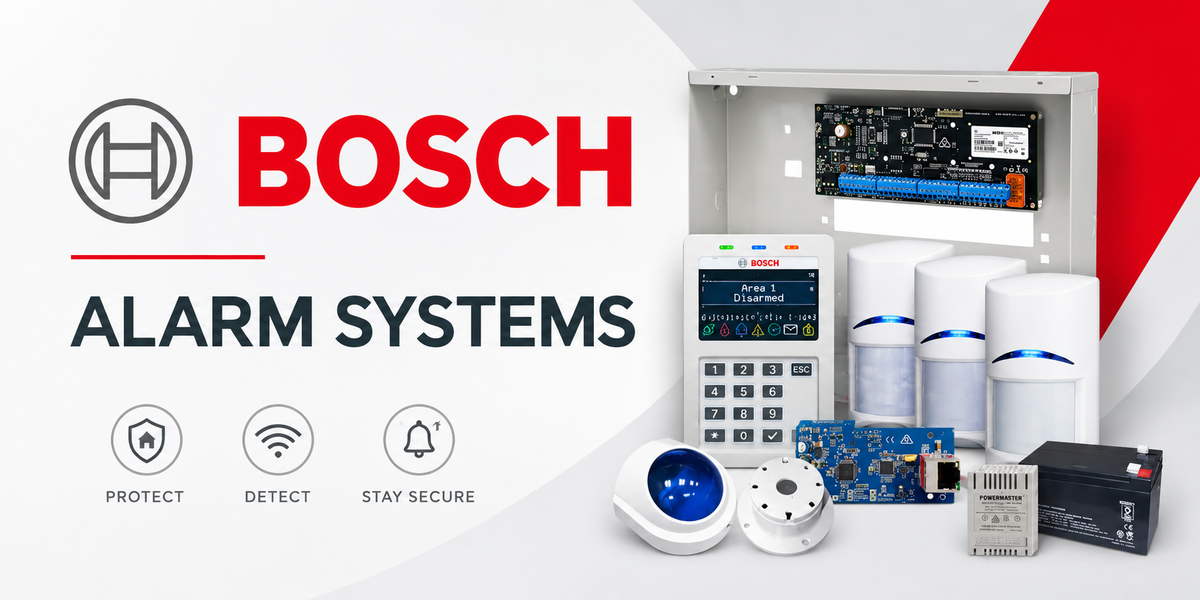
If you install, service or maintain Bosch alarm systems, having access to the correct Bosch alarm panel firmware, programming software and technical documentation can save a lot of time on site.
Bosch Solution alarm systems have been widely installed across Australian homes and businesses, which means technicians regularly encounter everything from current Solution 6000, Solution 4000 and Solution 2000/3000 systems through to older Solution 16, Solution 64, Solution 880 and Solution 144 panels.
The important thing is knowing exactly which panel you are working with before downloading firmware or connecting programming equipment.
This guide brings together useful firmware, software and quick-reference resources for Bosch Solution alarm systems in Australia.
Important: Always confirm the exact panel model, serial number, existing firmware version and hardware compatibility before performing an update. Back up the panel programming where applicable and follow the manufacturer's firmware upgrade instructions.
Bosch Alarm Programming Software
Different generations of Bosch alarm panels use different programming software and connection methods.
Before heading to site, confirm the panel model, required software and programming interface. This is particularly important when servicing older installations where the panel may have been operating for many years without a firmware update.
SolutionLink, Site Manager, Drivers & Utilities
SolutionLink is used for programming and managing compatible Bosch Solution alarm systems.
Installer software, Site Manager, drivers and related utilities can be accessed through the existing SolutionLink software resource:
SolutionLink, Site Manager, Drivers & Utilities
A-Link Plus
A-Link Plus is another programming application used with compatible Bosch intrusion systems.
Manufacturer-hosted software resources include:
The supplied documentation notes that these packages need to be extracted using 7-Zip.
Because programming software can change over time, check the manufacturer's current resources before assuming an older downloaded copy is the appropriate version for the system you are servicing.
Bosch Solution 6000 Firmware
The Bosch Solution 6000 is a capable alarm platform used in Australian residential and commercial security installations.
Firmware selection requires particular care because not every Solution 6000 panel uses the same firmware path.
Solution 6000 Panels with Serial Numbers Above 240000
For newer standard Solution 6000 panels, Bosch provides firmware through its Australian support resources.
Bosch Solution 6000 Current Firmware
The supplied technical information specifies this firmware path for panels with serial numbers greater than 240000 and identifies the CM910 direct-link/flash programming lead as required for the relevant update procedure.
CP736B and CP737B Keypads
Firmware is particularly important when newer keypads are being fitted to an existing Solution 6000 installation.
The supplied technical resource states that the newer CP736B and CP737B keypads require the Solution 6000 panel to be upgraded to firmware v2.53.67 or later.
If you're replacing or upgrading a keypad on an older Solution 6000, check the panel firmware before assuming the new keypad can simply be connected.
Older Solution 6000 Panels
Older Solution 6000 panels need to be treated differently.
For panels with serial numbers below 240000, the supplied resource identifies Solution 6000 v2.17.00 as the applicable legacy firmware resource and specifies the CM910 programming lead.
The serial number is therefore one of the first things we recommend checking when preparing for a Solution 6000 firmware job.
Bosch Solution 6000-IP Firmware
Don't assume a Solution 6000-IP uses the same firmware as a standard Solution 6000.
The Solution 6000-IP is specifically identified as an IP-only panel, with a separate firmware resource provided for it.
Bosch Solution 6000-IP Firmware
The supplied documentation identifies firmware v3.03.30 for the applicable IP-only panel and notes that a CM910 direct-link/flash programming lead is required.
Installer's Note
Treat Solution 6000 and Solution 6000-IP as separate platforms when preparing a firmware update.
A similar product name does not mean the firmware is interchangeable. Check the actual control panel, serial number and manufacturer's instructions before flashing anything.
Solution 144 to Solution 6000 Upgrade
There is also an upgrade resource for applicable Solution 144 systems moving to the Solution 6000 platform.
Solution 144 to Solution 6000 v2.14.00 Upgrade
The supplied technical resource specifies that this procedure requires a CM910.
For older systems, we recommend reviewing the complete upgrade procedure and existing hardware before starting work rather than treating it as a routine firmware update.
Bosch Solution 4000 Firmware
For Solution 4000 installations, the supplied resource identifies firmware v1.1.0.
Bosch Solution 4000 Firmware v1.1.0
The firmware procedure requires an IUI-SOL-ADAPTER direct-link/flash programming lead.
For installation information, Bosch/Keenfinity also provides the Solution 4000 Quick Installation Guide:
Solution 4000 Quick Installation Guide
Bosch Solution 2000/3000 Firmware
For Bosch Solution 2000 and Solution 3000 panels, the supplied resource identifies firmware v2.2.0.
Bosch Solution 2000/3000 Firmware v2.2.0
The update procedure requires the IUI-SOL-ADAPTER direct-link/flash programming lead.
The manufacturer's Quick Installation Guide is also available here:
Bosch Solution 2000/3000 Quick Installation Guide
When servicing these systems, check the exact model rather than assuming every Solution 2000 and Solution 3000 feature or accessory is interchangeable.
B426-M Ethernet Communicator Firmware
For installations using the Bosch B426-M Ethernet communication module, the supplied resource includes firmware v3.15.237.
Communication modules can play an important role in alarm reporting and network connectivity, so confirm panel compatibility and the existing system configuration before changing module firmware.
Legacy Bosch Alarm Panel Firmware
Australian installers still regularly encounter older Bosch Solution alarm panels.
Having the correct reference material available can make identifying, servicing or assessing these older systems considerably easier.
Firmware downloads in the supplied resource include:
These legacy firmware procedures are identified as requiring the CM910.
Bosch Alarm Panel Quick Reference Guides
Older alarm systems can present a different problem: sometimes the property owner doesn't know what panel is installed.
You may find an old keypad on the wall, no documentation and very little information about when the system was installed.
The following quick-reference guides can help identify and work with older Bosch Solution systems.
Solution 16i
Model reference: CC500
Solution 16i Quick Reference Guide
Solution 880 Ultima
Model reference: ICP-CC488
Solution 880 Ultima Quick Reference Guide
Solution 844
Model references include ICP-CC404 / CC404
Solution 844 ICP Quick Reference Guide
Solution 844 Quick Reference Guide
Solution 880
Model reference: CC408
Solution 880 Quick Reference Guide
Solution 862 Ultima
Model reference: CC486
Solution 862 Ultima Quick Reference Guide
Solution 862
Model reference: CC406
Solution 862 Quick Reference Guide
Solution 8
Model reference: CC800
Solution 8 Quick Reference Guide
Solution 64
Model reference: CC110
Solution 64 Quick Reference Guide
Solution 6+6
Model reference: CC600
Solution 6+6 Quick Reference Guide
Solution 40
Model reference: CC7240
Solution 40 Quick Reference Guide
Solution 4+4
Model reference: CC400
Solution 4+4 Quick Reference Guide
Solution 16+
Model reference: CC100
Solution 16+ Quick Reference Guide
Solution 16
Model reference: CC880
Solution 16 Quick Reference Guide
Solution 144
Model reference: CC600
Solution 144 Quick Reference Guide
Secure 840
The supplied resource identifies this as a Chubb-branded system.
Secure 840 Quick Reference Guide
Current Bosch Solution Panel Manuals
For current-generation installations, these manuals are useful resources to keep available.
Bosch Solution 6000 — CC610
Bosch Solution 6000 Quick Configuration Manual
Bosch Solution 6000-IP — CC615
Bosch Solution 6000-IP Documentation
Bosch Solution 4000 — ICP-SOL4-P
Bosch Solution 4000 Quick Installation Guide
Bosch Solution 2000/3000 — ICP-SOL2-P / ICP-SOL3-P
Bosch Solution 2000/3000 Quick Installation Guide
What to Check Before Updating Bosch Alarm Panel Firmware
Firmware updates aren't something we recommend approaching as simply "download the newest version and install it".
Before updating a Bosch alarm panel, check the following.
Confirm the exact panel model.
A Solution 6000 and Solution 6000-IP need to be correctly identified before selecting firmware.
Check the serial number.
This is particularly important with Solution 6000 panels because different hardware generations can require different firmware.
Record the existing firmware version.
Know where you're starting before attempting an upgrade.
Back up the programming.
Where the panel and software support it, create a current backup before performing the upgrade.
Check your programming hardware.
Depending on the panel, you may need equipment such as the CM910 or IUI-SOL-ADAPTER.
Check keypad and peripheral compatibility.
This is particularly relevant when upgrading an existing system with newer keypads or communications equipment.
Read the release notes.
Firmware files downloaded years ago shouldn't automatically be treated as the correct version today.
Confirm the Australian-market requirements.
Where possible, use documentation and firmware intended for the Australian-market hardware you're servicing.
Which Bosch Alarm Firmware Should I Use?
The correct firmware depends on the exact hardware in front of you.
For a Solution 6000, check whether it's a standard or IP-only panel and then check the serial number.
For a Solution 4000, use the firmware and programming method specifically intended for the Solution 4000.
For a Solution 2000 or Solution 3000, use the appropriate 2000/3000 firmware and confirm the required programming adapter.
For an older Solution 16, 16i, 64, 880, 144 or other discontinued panel, identify the control panel before downloading firmware or ordering replacement hardware.
That five-minute check can prevent a much longer problem on site.
Final Verdict
The most important part of a Bosch alarm firmware update isn't finding the newest-looking download — it's correctly identifying the hardware first.
This matters particularly with the Solution 6000 family, where the panel type, hardware generation and serial number can determine the appropriate firmware path.
We recommend checking the panel model, serial number, current firmware, required programming lead and peripheral compatibility before starting an upgrade.
For installers who regularly service Bosch alarms, keeping the relevant programming software, leads, current manuals and panel backups organised can make future service calls much easier.
Why Buy from CCTV Tradie?
CCTV Tradie supplies security equipment and accessories for Australian installers, integrators, electricians and customers building or upgrading security systems.
We focus on competitive pricing, Australian-market product suitability and security equipment sourced through Australian distribution channels where applicable.
Whether you're working on an alarm upgrade, CCTV installation, intercom or complete security system, choosing the correct hardware for the job is just as important as getting a competitive price.
Shop alarm systems, security equipment and accessories at CCTV Tradie.
Frequently Asked Questions
What is the latest Bosch Solution 6000 firmware?
The correct firmware depends on the Solution 6000 hardware and serial number. Bosch provides firmware resources for applicable newer panels, while older panels can require a different firmware branch. Always check the manufacturer's current release information before updating.
Can I install Solution 6000 firmware on a Solution 6000-IP?
You should not treat standard Solution 6000 and Solution 6000-IP firmware as interchangeable. The Solution 6000-IP has its own firmware resources. Identify the panel first and use the firmware specified for that hardware.
Do CP736B and CP737B keypads require a firmware update?
The supplied technical information states that CP736B and CP737B keypads require the Solution 6000 panel to be running firmware v2.53.67 or later. Check the latest manufacturer documentation before installing the keypad.
What programming lead do I need for a Bosch Solution 6000?
The supplied firmware resources specify the CM910 direct-link/flash programming lead for relevant Solution 6000 firmware procedures.
What adapter is required for Solution 2000, 3000 and 4000 firmware updates?
The supplied resources identify the IUI-SOL-ADAPTER direct-link/flash programming lead for the relevant Solution 2000/3000 and Solution 4000 firmware procedures.
Should I back up a Bosch alarm panel before updating the firmware?
Yes, where the panel and programming software allow it. Keeping a current copy of the programming before changing firmware is good practice and can be especially important when an upgrade procedure may affect the existing configuration.
Where can I find manuals for discontinued Bosch alarm panels?
Quick-reference guides remain available for many older Bosch Solution panels, including the Solution 16, 16i, 64, 844, 862, 880 and 144. The links above provide a convenient starting point for identifying and servicing legacy systems.
Last Updated: 17 September 2026


