
|
TL;DR CCTV and surveillance cameras are often used interchangeably, but there is a meaningful distinction worth understanding before you buy. CCTV traditionally refers to a closed, locally recorded camera system. Modern IP surveillance cameras transmit footage over networks and can be accessed remotely. For most Australian buyers, the relevant question is not what the cameras are called but whether you need a single camera for one specific purpose or a system that covers your whole property. This guide answers both. |
The terms CCTV camera and surveillance camera appear on the same product pages, in the same search results, and sometimes on the same box. It is understandable to assume they mean slightly different things, because they do, historically. In practice, most Australians use them interchangeably. What matters more than the terminology is understanding whether you need a single camera or a full system, and what the genuine differences are between consumer surveillance products and professional security cameras.
This guide cuts through the terminology confusion and focuses on the decision that actually matters: what your property needs and why.
CCTV vs Surveillance Camera: The Historical Distinction
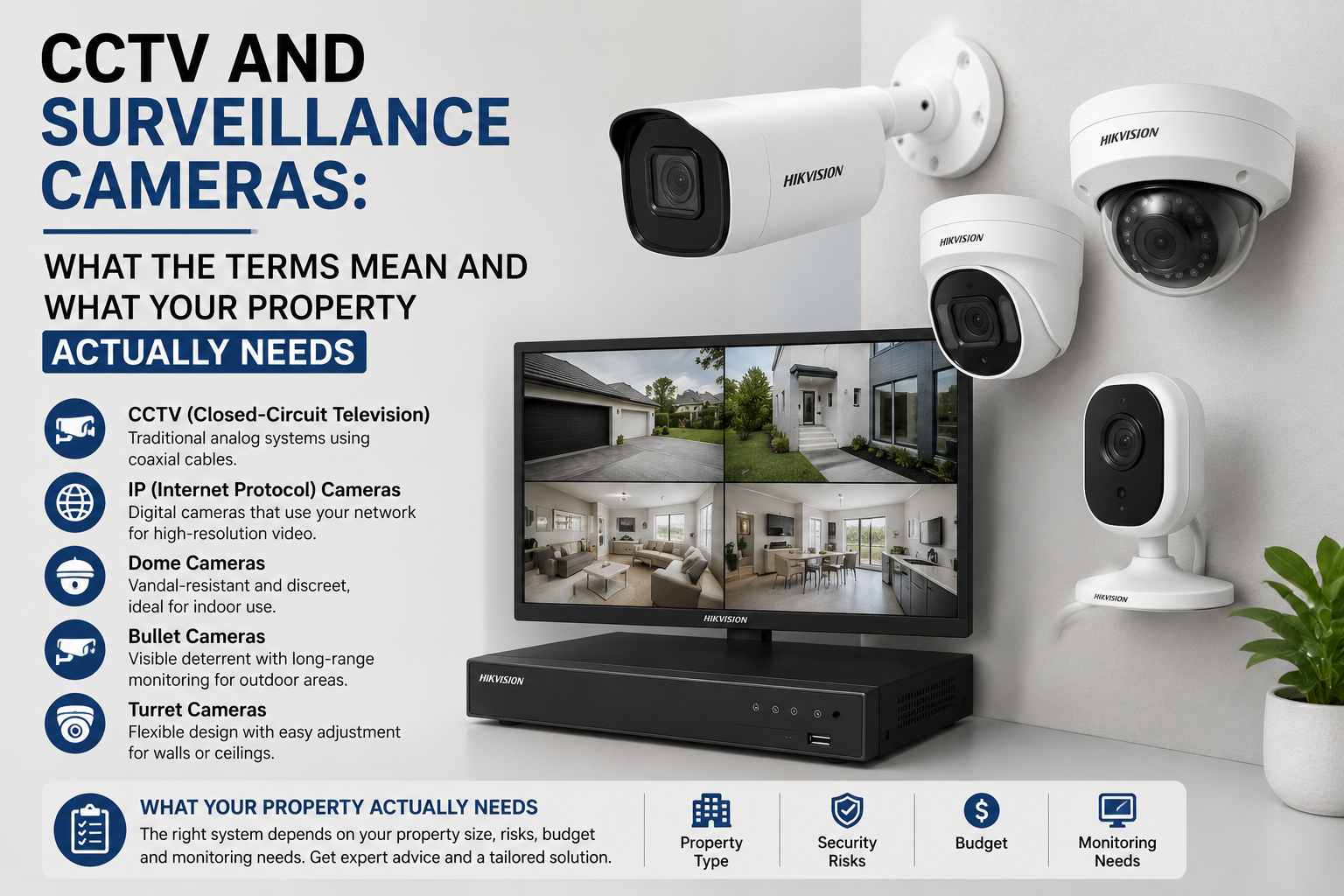
CCTV stands for Closed-Circuit Television. The 'closed circuit' referred to systems where video was transmitted to a limited set of screens in a private network rather than broadcast publicly. A bank of monitors watched by a security guard in a shopping centre control room was a classic CCTV system.
As technology evolved, IP cameras connected to the internet and allowed footage to be accessed remotely via phones and computers. These are not technically 'closed circuit' anymore because the network is open to authorised remote access. But the term CCTV stuck in everyday language and is now used to describe any security camera system, regardless of whether it is genuinely closed-circuit.
Surveillance camera is a broader term that encompasses both CCTV and IP cameras, as well as body cameras, traffic monitoring cameras, and any other device used to observe and record an area.
In the context of Australian residential and commercial security, CCTV camera and surveillance camera mean the same thing. Do not let the terminology create confusion when you are comparing products.
Single Camera vs Full System: How to Decide
The more useful question than terminology is whether your situation calls for a single camera or a multi-camera system. The answer depends on what you are trying to protect and what outcome you want when something happens.
When a Single Camera is Enough
A single camera makes sense when there is one specific location you want to monitor: a front door, a driveway gate, a cash register, or an internal access point to a secure area. Consumer-grade cameras from EZVIZ, TP-Link Tapo, and similar brands handle single-camera use cases well. They are inexpensive, easy to set up, and connect to your phone in minutes.
The limitation of a single camera becomes obvious when an incident occurs and the camera was pointing the wrong way, did not cover the access point actually used, or only captured the back of a person leaving rather than their face on arrival.
When You Need a Full System
A full security camera system is the right choice when you need to cover multiple access points, create a complete record of activity around a property, or produce footage that will hold up in a police investigation or insurance claim. A full system consists of multiple IP cameras connected to a central NVR that records all cameras simultaneously, continuously, with AI detection filtering.
The difference between a single consumer camera and a properly specified multi-camera system is not just quantity. It is the quality of the footage, the reliability of the recording, and the manageability of the footage when you actually need it. Scrolling through an app looking for a specific moment across six separate cloud accounts is not a useful experience during an incident.
|
Situation |
Recommended Approach |
|
Monitor one specific door or entry |
Single camera with SD card or cloud storage |
|
Cover a whole property with multiple entry points |
4-8 camera NVR system with local storage |
|
Rental property or temporary setup |
One to two consumer cameras (EZVIZ, Tapo) |
|
Small business with counter and stockroom |
4+ camera NVR system, 30 days storage minimum |
|
Rural property with outbuildings |
Solar 4G cameras for remote positions, PoE for main building |
|
Apartment, single entry only |
Video door station or one doorbell camera |
Consumer vs Professional Surveillance Cameras: The Real Differences
The market contains everything from $40 cameras to $800 cameras, and the price gap is real. Understanding what that price gap represents helps you make a proportionate decision rather than over-specifying for a simple need or under-specifying for a serious one.
Image Quality
Professional IP cameras from Hikvision, Dahua, and Uniview use larger image sensors, better lens optics, and more sophisticated ISP (Image Signal Processing) than consumer cameras at the same stated megapixel count. A 4MP professional camera produces significantly better low-light footage than a 4MP consumer camera even at the same resolution, because the sensor size and lens quality differ.
Recording Reliability
Consumer cameras that record exclusively to cloud storage depend on internet connectivity and the ongoing operation of the cloud service. Professional NVR-based systems record locally regardless of internet status, and the NVR continues recording during power outages if a UPS is connected. This reliability distinction matters when the moment you most need footage is exactly the moment internet connectivity might be disrupted.
Firmware and Support Lifespan
Professional security camera brands commit to firmware updates and security patches for a minimum of five years. Consumer cameras are sometimes discontinued within two years, leaving owners with hardware that no longer receives security updates and becomes a potential network vulnerability. For any permanent installation, brand longevity and support commitment are worth considering alongside the initial price.
Integration
Professional cameras are designed to work within larger security ecosystems. An IP camera from Hikvision integrates with Hikvision NVRs, Hikvision alarm systems, Hikvision door stations, and Hikvision access control. A consumer camera that works through a proprietary cloud app generally cannot be integrated with other security components.
What a 'Surveillance Camera System' Actually Consists Of
When a supplier or installer talks about a surveillance camera system, they mean a specific combination of hardware components. Understanding what each component does helps you evaluate quotes and make informed choices.
-
IP cameras: The cameras themselves, each producing a digital video stream over Ethernet or WiFi
-
NVR (Network Video Recorder): The central unit that records all camera streams to a hard drive, manages AI detection, and provides access to footage via app or web browser
-
PoE switch (optional): A network switch that provides power and data over the same Ethernet cable to each camera, eliminating the need for a separate power cable to each camera
-
Hard drive: The storage inside the NVR. Capacity determines how many days of footage are retained before overwriting begins
-
Cables and conduit: The cabling infrastructure connecting cameras to the NVR switch, run through walls, ceilings, or external conduit
-
UPS (optional but recommended): An uninterruptible power supply that keeps the NVR and switch running during power outages, maintaining recording through events that may coincide with intentional power disruption
Common Mistakes When Buying Surveillance Cameras
A few patterns show up repeatedly in situations where a surveillance camera purchase does not deliver what the buyer expected.
Buying Resolution Without Thinking About Position
An 8MP camera pointed too wide covers too much area to extract usable facial detail. A 4MP camera with a 4mm or 6mm lens at the right position often produces more useful footage. Resolution without appropriate focal length for the coverage area is a common specification mistake.
Shop 8MP Security Cameras
Explore 8MP CCTV cameras for sharp 4K-style surveillance, ideal for driveways, entrances, shops, warehouses, and larger areas that need clearer detail.
Relying on a Single Camera for an Entire Property
A single camera covering a front entrance does not tell you how someone approached the property, which direction they left, or whether anyone was in the back yard. Insurance investigations and police reports frequently require coverage of multiple positions to reconstruct an event timeline. Single-camera setups are genuinely inadequate for burglary investigation in most cases.
Not Testing Night Vision Before Installing Permanently
The single most common complaint after camera installation is night vision performance. Before permanently mounting cameras, test night vision at each position at night, with and without ambient lighting. Identify any positions where IR illumination is washed out by reflective surfaces (painted walls, windows) and adjust camera angles accordingly.
Frequently Asked Questions
Is CCTV footage legally admissible in Australian courts?
Yes. CCTV footage is routinely used as evidence in Australian criminal proceedings. The footage needs to be collected and stored in a way that preserves its integrity (chain of custody). An NVR that records with accurate timestamps, using the correct date and time settings, and that has not been modified after the fact, produces footage that meets evidentiary standards.
How long should CCTV surveillance footage be kept?
For residential properties, 14 to 30 days is a practical range. Most incidents are reported within a few days of occurrence, but some property damage or theft patterns are only noticed weeks later. For businesses, 30 days minimum is the practical standard, with longer retention in industries with specific regulatory requirements.
What resolution do I need to identify a face on surveillance camera footage?
Face identification from surveillance footage requires that the face occupies a minimum of roughly 120 pixels in height within the frame. At 4MP (2560x1440 pixels), a camera covering a 3-4 metre entry zone at 2.8mm focal length will capture faces at usable identification quality. For wider coverage areas, a higher resolution camera or a narrower focal length lens is needed.
Can surveillance cameras reduce my home insurance premium?
Many Australian insurers offer discounts for homes with professionally installed security camera systems, alarm systems, or both. The discount varies by insurer and is typically higher for monitored systems. Contact your insurer before purchasing to confirm what systems qualify for a discount and whether professional installation is required.
Conclusion
CCTV cameras and surveillance cameras are the same thing in everyday Australian usage. The distinction that actually matters is between a single camera covering one specific point and a properly specified multi-camera system that documents your entire property. The second is almost always what people need when they have an incident and wish they had invested properly.
Consumer cameras are fine for low-stakes single-point monitoring. Professional IP cameras with a local NVR are the right choice for any property where you expect footage to matter: insurance claims, police reports, tenant disputes, or business liability.
Browse CCTV and surveillance camera systems at CCTV Importers, including complete NVR kits, individual IP cameras, and wireless options for every Australian property type.


