
If you’re choosing a CCTV system in 2026, you’ll keep seeing one question in product listings and installers’ quotes:
DVR vs NVR — which one do I need?
It matters because the recorder you pick determines:
-
what type of cameras you can use,
-
how you run cabling (and how painful the install will be),
-
what quality you can record,
-
and how easy remote viewing + smart features will be.
And yes — in Australia, CCTV still makes practical sense. ABS reported the household break-in rate rose to 2.1% in 2023–24 (about 218,000 households), and 75% of break-in incidents were reported to police.
Let’s make the DVR vs NVR decision simple, with a 2026-ready checklist.
The 30-second answer (most buyers)
-
Choose an NVR if you’re doing a new install, want higher-resolution IP cameras, smarter motion detection/analytics, and cleaner cabling options.
-
Choose a DVR (or hybrid XVR) if you’re reusing existing coax wiring or upgrading an older analog/coax system without re-cabling the whole property.
(And if you’re unsure, you can tell us your camera count, property layout, and retention goal — we’ll spec the right kit.)
What is a DVR?
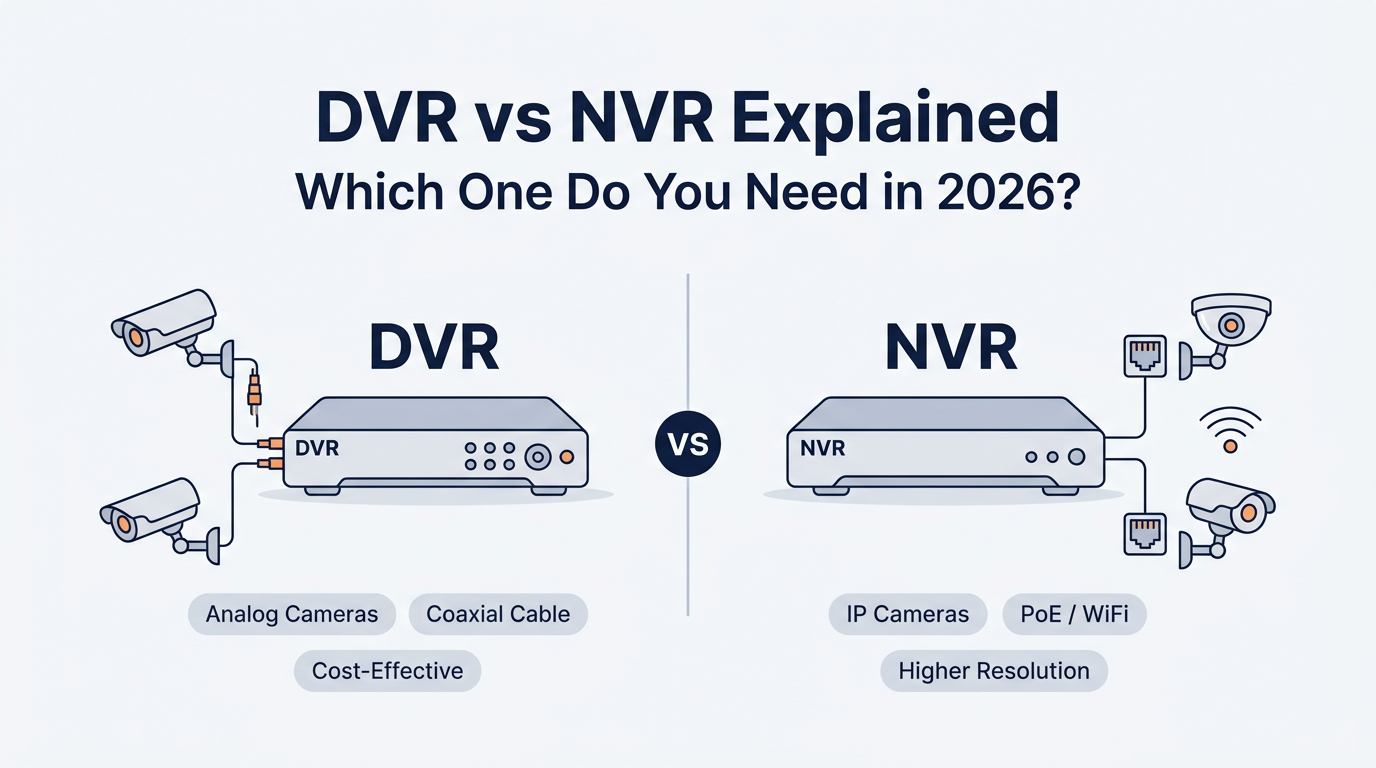
A DVR (Digital Video Recorder) is traditionally used with analog cameras. The camera sends an analog signal, and the DVR converts/encodes it into digital for storage and playback.
Typical DVR setup
-
Analog cameras
-
Coaxial cable (often with a separate power run, unless using a combined cable)
-
DVR recorder (does the heavy lifting)
DVR systems process video at the recorder, and usually connect via coax.
What is an NVR?
An NVR (Network Video Recorder) is used with IP cameras (digital cameras on a network). In most NVR systems, the camera encodes/processes the video first, then sends it to the NVR mainly for storage and viewing.
Typical NVR setup
-
IP cameras
-
Ethernet (often PoE) or sometimes Wi-Fi
-
NVR recorder (stores footage, lets you view it locally/remotely)
CCTV Importers’ NVR range is built exactly around this: NVRs are designed to capture/store/manage footage from IP cameras.
DVR vs NVR: Key differences (2026 comparison)
|
Feature |
DVR |
NVR |
|
Camera type |
Analog (traditional) |
IP / network cameras |
|
Where video is processed |
At the recorder |
At the camera (then stored on NVR) |
|
Cabling |
Coax for video + separate power (often) |
Ethernet can carry data + power (PoE) |
|
Typical strengths |
Budget-friendly upgrades, reuse coax |
Higher resolution, analytics, scalability |
|
Typical trade-offs |
Bulkier cabling, fewer “smart” options |
Needs network planning + cyber hygiene |
This is consistent across major industry explainers: DVR converts analog at the recorder, while NVR works with digital/IP and relies on the camera to process the stream.
Cabling & installation: the real-world decision-maker in Australia
DVR cabling (coax + power)
Coax runs can be long, but practical distance depends on cable quality, resolution, and technology.
You’ll see different distance guidance depending on the scenario:
-
Coax can run up to 500 metres, but also highlights limitations like needing separate power and being stiffer/thicker to install.
-
Pelco highlights signal degradation beyond 90 m / 300 ft for certain coax scenarios.
-
On our own coax-upgrade content, we note 4K may reach ~300 m over RG6 in some HD-over-coax situations.
Practical takeaway: DVR/coax can be great when the building already has coax in place. For a fresh build or major renovation, Ethernet/PoE is usually cleaner.
NVR cabling (Ethernet + PoE)
Ethernet is thin, easier to route, and can carry power + data over a single cable (PoE).
When you use a PoE switch (important — not just “out of ports”)
In real installs, a PoE switch is often used when:
-
your camera cable runs are longer, or
-
it’s hard to bring lots of individual cables back to the NVR due to access limits (double-storey routing, tight roof space, limited conduits)
You run camera cables to a PoE switch near that camera group, then run one uplink cable back to your network/NVR location. We’ll break this setup down step-by-step in a dedicated blog.
Browse PoE switches here: https://cctvimporters.com.au/collections/poe-switches
Video quality & “smart features”: why NVR has taken over new installs
In 2026, most people don’t just want “recording”. They want:
-
clearer faces at the door,
-
vehicle/driveway clarity,
-
smart motion that reduces false alerts,
-
and sometimes analytics (people/vehicle filtering, LPR, etc.).
IP cameras can support intelligent analytics like license plate and facial recognition (hardware-dependent).
Pelco also points out that IP cameras can support video analytics and license plate recognition features that analog systems typically can’t match.
Overview similarly links NVR/IP architectures to advanced features like analytics, since the camera handles the processing.
If you’re buying new cameras today, start here:
-
IP Cameras (Australia-wide): https://cctvimporters.com.au/collections/ip-cameras
-
Network Video Recorders (NVRs): https://cctvimporters.com.au/collections/network-video-recorders-nvrs
Audio recording: DVR vs NVR (and the gotchas)
-
Standard coax doesn’t natively support audio; you may need extra connections and you’re limited by recorder inputs.
-
Pelco makes the same point: DVR audio depends on recorder audio inputs and supported cameras.
Modern bridge option: HD-over-coax technologies can carry audio over the same coax in some designs (useful for upgrades). Our coax-focused article covers audio-over-coax concepts like HDCVI DAC and hybrid upgrade paths.
Cybersecurity & compatibility in 2026
Here’s the honest trade-off:
-
Analog/DVR systems tend to have lower network exposure by design (fewer internet-connected endpoints).
-
IP/NVR systems can be extremely secure, but they require basic cyber hygiene: strong passwords, firmware updates, and sensible network setup. Pelco explicitly warns about cyber risk and the need to change defaults/update firmware.
On compatibility: for mixed-vendor systems, Pelco recommends checking ONVIF profiles where relevant, since not everything “just works” together.
The upgrade path most Australians actually choose: keep coax, go HD, add IP later
If you’ve got an older home or commercial site with coax already run, ripping it all out can be overkill.
A common 2026 approach is:
-
upgrade cameras on existing coax using newer coax-capable formats, and
-
use a hybrid recorder (often called XVR) to mix technologies.
Our own HDCVI upgrade content explains that hybrid XVRs can support both coax-based cameras and IP inputs, allowing mixed deployments.
This is the “best of both worlds” for many retrofits: modern features without a full re-cable on day one.
So… which one should you buy in 2026? (Use these scenarios)
Choose DVR if…
-
You already have coax cabling run and want the most cost-effective refresh.
-
You want a straightforward system for basic recording without heavy network planning.
-
Your priority is “upgrade the cameras/recorder, don’t touch the building.”
Choose NVR if…
-
You’re installing a system from scratch (new build, renovation, new tenancy).
-
You want higher resolution and better identification.
-
You want smarter features/analytics and cleaner scalability.
-
You prefer simpler cabling (especially with PoE planning).
Choose a hybrid/XVR if…
-
You want to reuse coax now and add IP cameras later.
-
You’re upgrading in phases (common for small businesses).
Buyer checklist (copy/paste before you add to cart)
Answer these 6 questions and you’ll know your recorder type:
-
Do I have existing coax in the walls/roof?
-
Do I want IP cameras (higher res, smarter filtering, future-proofing)?
-
Is it hard to run lots of cables back to the recorder location? (If yes, plan PoE switching.)
-
Do I need audio on multiple cameras? (Plan the architecture properly.)
-
How many days of retention do I want? (Storage sizing matters. Pick surveillance-grade HDDs.)
-
Do I need remote access? (If yes, do it securely: change defaults, update firmware.)
What we recommend (CCTV Importers AU)
At CCTV Importers (CCTV Tradie), we’re an Australian supplier working with local distributors and compliance-focused product lines.
Here are the most useful internal links for your next step:
-
Shop NVRs: https://cctvimporters.com.au/collections/network-video-recorders-nvrs (CCTV Tradie)
-
Shop IP Cameras: https://cctvimporters.com.au/collections/ip-cameras (CCTV Tradie)
-
PoE Switches (long runs / cable accessibility): https://cctvimporters.com.au/collections/poe-switches (CCTV Tradie)
-
Surveillance Hard Drives: https://cctvimporters.com.au/collections/surveillance-hard-drives (CCTV Tradie)
-
Get a custom quote (tell us cameras + days of storage): https://cctvimporters.com.au/pages/tell-us-what-you-need (CCTV Tradie)
FAQs
Can I use IP cameras with a DVR?
Usually, DVRs are built for analog/coax cameras, while IP cameras are designed for NVR/network recording. However, some hybrid recorders (XVR) can support mixed deployments (coax + IP).
Is an NVR always “better” than a DVR?
Not always. For properties with existing coax infrastructure, a DVR/hybrid upgrade can be the most practical option. For new installs where you want higher resolution and smarter features, NVR is typically the better fit.
Do I need a PoE switch for an NVR system?
You may need one when cable runs are longer or it’s difficult to route many separate cables back to the NVR. In those cases, cameras connect to a PoE switch locally, and you uplink back to the NVR/network on fewer cables.


