
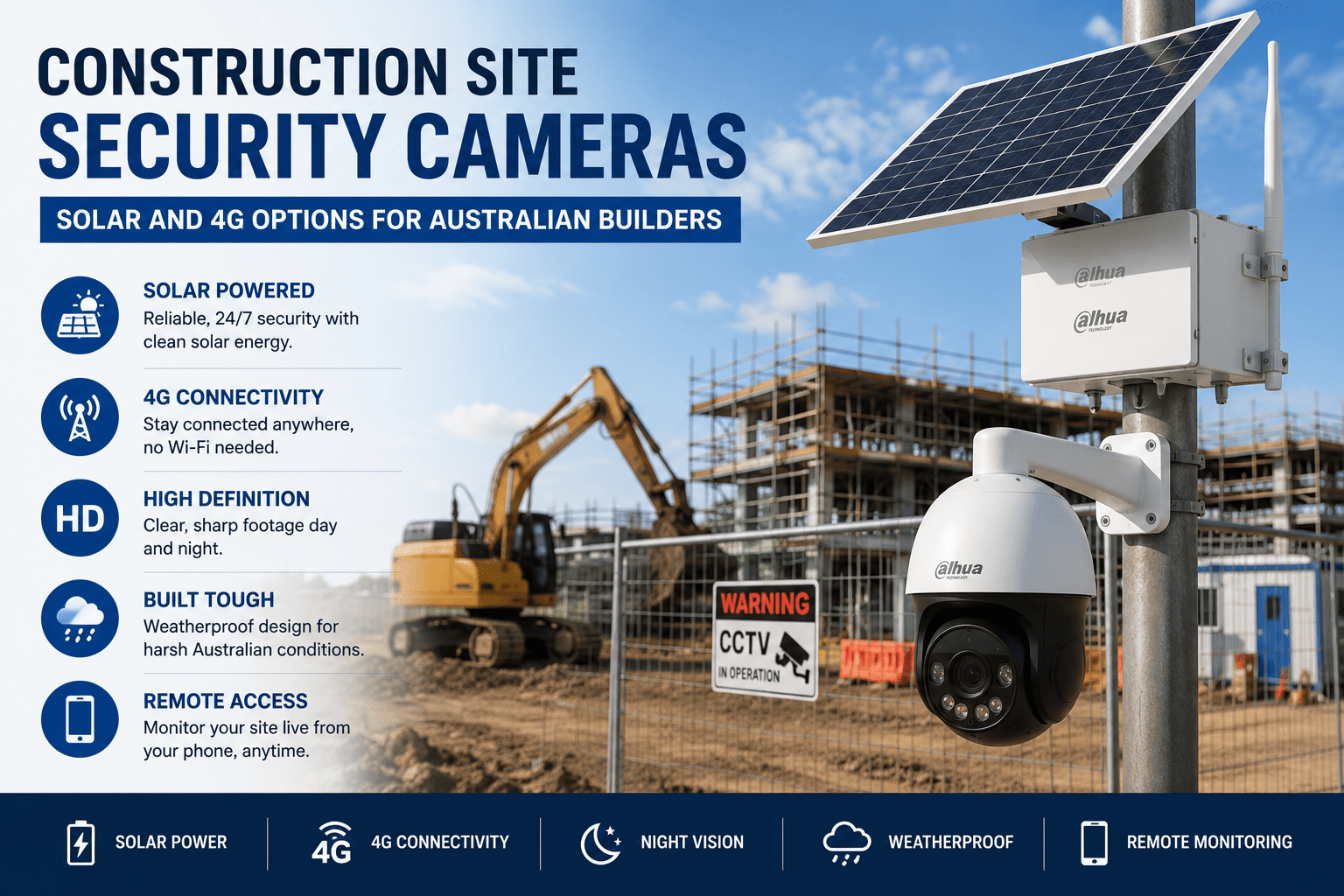
Tools and plant gone from a locked container overnight, an insurance excess that stings more than the stolen gear was worth, and a site that will not have power or a fixed internet connection for months. Construction site security is a genuinely different problem to a home or shop, and the cameras that solve it look different too.
|
TL;DR Construction sites usually have no fixed power or internet, and change shape as the job progresses, so solar-powered and 4G-connected cameras are the standard solution rather than wired PoE systems. Solar-only units suit shorter jobs in good sun, 4G-connected units suit sites needing remote alerts, and combined solar-plus-4G units have become the default for most builders needing genuinely portable coverage. |
Why a construction site is a different problem
A house or shop CCTV system assumes fixed power, a stable internet connection, and cameras that stay in the same spot for years. None of that holds true on an active build. There is often no power connected yet, no NBN service until well into the job, and the site itself physically changes week to week as stages are completed, meaning cameras frequently need to be relocated rather than mounted once and forgotten.
On top of that, the value sitting on an active site, power tools, generators, copper, and plant equipment, makes it a genuine target, and insurers have become increasingly specific about what security measures they expect to see in place before covering a claim.
Solar-powered cameras explained
A solar security camera pairs a battery with a small solar panel, recharging through the day to run the camera overnight and through overcast stretches. Actual runtime depends heavily on Australian seasonal sun hours, with far more buffer in summer than the shorter, greyer days of an Australian winter, particularly in southern states.
Motion-triggered recording rather than continuous recording is what makes solar genuinely viable day to day. A camera recording only when it detects movement uses a fraction of the power a continuously recording unit does, which is why most solar site cameras default to PIR motion triggering rather than round-the-clock capture.
4G cameras explained
A 4G camera uses a SIM card for its own cellular connection, sending alerts and footage without relying on any fixed internet at the site. This is the standard answer for remote or regional builds with no NBN service anywhere nearby, and it also means a builder or site manager gets a live alert on their phone the moment the camera detects movement after hours, rather than only finding out something happened when they next visit the site.
The trade-off is an ongoing data cost, since footage and alerts count against a SIM data allowance, which is worth factoring into the overall running cost of the camera rather than just the upfront purchase price.
Shop Solar Powered Security Cameras
Explore solar and 4G security cameras for construction sites, temporary worksites, farms, remote areas, and locations where fixed power or internet is difficult to install.
Solar plus 4G combined units
Combining solar power with a 4G connection has become close to the standard configuration for site security cameras, since it solves both problems, no fixed power and no fixed internet, in one unit. PIR-triggered clips get sent straight to a phone the moment movement is detected, giving a builder real-time awareness of after-hours activity without needing to check footage manually each morning.
Fixed units vs trailer-mounted camera towers
For a short renovation or small job lasting a few weeks, a couple of standalone solar or 4G cameras mounted to existing structures or temporary poles is usually enough. For a larger, multi-month build, a trailer-mounted camera tower, essentially a mobile mast with its own solar or generator power and often multiple camera heads, gives wider coverage and can be relocated as the site progresses through different stages.
Buying makes sense for a builder running multiple sites back to back throughout the year. Hiring a trailer unit tends to work out better value for a single larger job, since the hire cost usually includes setup, monitoring, and removal at the end of the build.
Footage quality, storage, and what you actually need
Local SD card storage keeps ongoing costs down but means footage needs to be physically retrieved or accessed on-site if there is no connectivity to view it remotely. Cloud upload over a 4G connection solves the remote access problem but adds an ongoing data cost tied to how much footage is being uploaded, which is another reason motion-triggered clips rather than continuous recording matter so much on a site camera.
Setting sensible motion detection zones is worth the extra ten minutes at install. A camera picking up every pedestrian walking past on a public footpath generates a flood of irrelevant alerts and unnecessary data use, and can raise its own privacy considerations for a site backing onto a residential street.
Insurance and evidentiary considerations
A growing number of builders' insurance policies now expect visible camera coverage as a condition of tool and plant theft cover, particularly for higher-value equipment left on site overnight. Accurate, reliable timestamps on footage matter for any insurance claim or police report, so it is worth confirming a camera's clock stays synced correctly, particularly on 4G units that may drift without a stable network time source.

Hikvision 4K Solar Powered 4G Bullet Camera Kit
A practical option for remote sites, farms, construction areas, and outdoor locations, featuring 4K ColorVu imaging, 4G connectivity, lithium battery support, smart detection, and IP67 weather protection.
View ProductCommon mistakes on construction sites
-
Mounting cameras low enough that they themselves become an easy target for the same theft they are meant to prevent.
-
Poor mounting stability on a temporary pole, leading to wind-blurred footage during storms or high wind events.
-
Not checking line of sight to the site gate and access points before dark, when angles that looked fine during a daytime walkthrough turn out to have blind spots at night.
-
Relying purely on continuous recording, burning through solar battery capacity and data allowance far faster than motion-triggered recording would.
Buying guide by job size and duration
|
Job type |
Recommended setup |
|---|---|
|
Small renovation, 1 to 2 months |
1 to 2 solar or 4G cameras mounted to existing structures |
|
Subdivision or estate build, several months |
Multi-camera solar and 4G kit with cloud alerts, relocated as stages progress |
|
Large commercial build, long-term |
Trailer-mounted camera tower or fixed PoE system tied into site generator power |
See our solar security camera guide for a deeper look at battery runtime and panel sizing, or browse security camera systems for fixed options once a site reaches a stage with power connected.
Frequently asked questions
How long does a solar security camera last on a construction site without sun?
Most units are built with several days of battery reserve for overcast stretches, but exact runtime depends on panel size, battery capacity, and how much motion the camera is recording. Winter months in southern states reduce the available charging window compared with summer.
Do I need a SIM card for a site security camera?
Only for a 4G-connected camera sending remote alerts and footage. Solar-only units without cellular connectivity can still record locally to an SD card without any SIM or ongoing data cost.
Can site cameras run without any power connection at all?
Yes, solar and battery-powered cameras are specifically designed for sites with no fixed power, which is the standard scenario for a new build before services are connected.
Are solar security cameras reliable in Australian winter?
Generally yes, provided the unit is sized with enough battery reserve to cover shorter winter charging days, and motion-triggered rather than continuous recording is used to conserve power.
Can construction site footage be used to make an insurance claim?
Yes, and a growing number of builders' insurance policies expect it as a condition of tool and plant theft cover. Clear footage with accurate timestamps strengthens any claim.
Do I need council permission to install a site security camera?
Standard site security cameras covering your own construction site generally do not require council permission, though it is worth checking local requirements if a camera's field of view extends significantly onto neighbouring or public property.


