
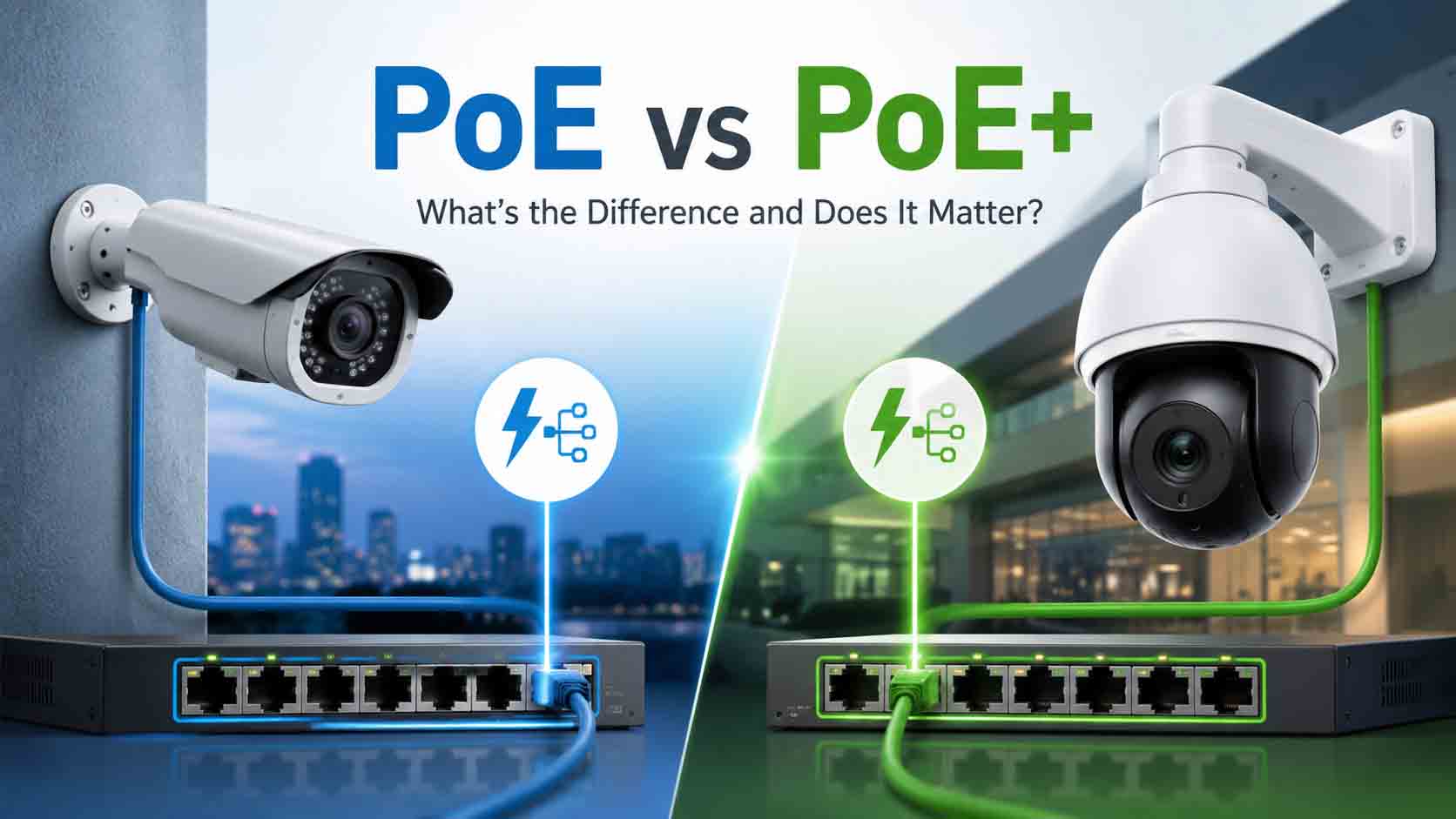
PoE and PoE+ both deliver power and network data through one Ethernet cable. The main difference is how much power each standard can provide.
Standard PoE is usually sufficient for fixed IP cameras with basic infrared night vision. PoE+ provides almost twice as much usable power, making it more suitable for PTZ cameras, strong infrared illuminators, heaters, active deterrence features and other power-demanding devices.
The difference matters because a camera can connect to the network correctly but still fail to operate properly if the switch or NVR cannot supply enough power.
TL;DR
Standard PoE, based on IEEE 802.3af, can supply up to 15.4 watts from the power source, with up to 12.95 watts available to the connected device after cable losses.
PoE+, based on IEEE 802.3at, can supply up to 30 watts from the power source, with up to 25.5 watts available to the device.
Choose PoE for basic fixed cameras that remain comfortably below 12.95 watts. Choose PoE+ for PTZ cameras, cameras with heaters, powerful infrared, built-in sirens, speakers or other higher-power features.
A PoE+ switch is normally backward-compatible with standard PoE cameras. However, a standard PoE switch may not provide enough power for a device that requires PoE+.
Always check both the per-port output and the switch’s total PoE power budget.
PoE vs PoE+ at a glance
|
Feature |
PoE |
PoE+ |
|
IEEE standard |
802.3af |
802.3at |
|
PoE type |
Type 1 |
Type 2 |
|
Maximum output from power source |
15.4W per port |
30W per port |
|
Maximum power available to device |
12.95W |
25.5W |
|
Power pairs |
Two pairs |
Two pairs |
|
Standard Ethernet distance |
Up to 100 metres |
Up to 100 metres |
|
Typical CCTV use |
Fixed dome, turret and bullet cameras |
PTZ, high-power IR and feature-rich cameras |
|
Backward compatibility |
Cannot always power PoE+ devices |
Usually supports standard PoE devices |
|
Best choice for a new system |
Suitable for basic cameras |
Provides greater flexibility |
What is Power over Ethernet?
Power over Ethernet allows a compatible network switch, recorder or injector to deliver electrical power and network data through the same Ethernet cable.
In a conventional non-PoE installation, an IP camera may require:
-
One Ethernet cable for data
-
One local power supply
-
A nearby power outlet
-
Additional electrical installation
With PoE, the camera can receive data and power through one Cat5e or Cat6 cable connected to a PoE switch or PoE-enabled NVR.
This makes PoE useful for CCTV because cameras are often installed under eaves, on external walls, in warehouses or on poles where installing a separate power outlet would be inconvenient.
A standard PoE system includes:
-
Power sourcing equipment, such as a PoE switch, NVR or injector
-
A powered device, such as an IP camera or wireless access point
-
Compatible Ethernet cabling
The power source and device negotiate before standard PoE power is supplied. This helps protect non-PoE network devices connected to standards-compliant equipment.
What is standard PoE?
Standard PoE follows IEEE 802.3af and is also called Type 1 PoE.
It allows the power source to provide up to 15.4 watts per port. Some power is lost through the cable, so the connected device can receive up to 12.95 watts under the standard.
This is generally enough for:
-
Fixed turret cameras
-
Basic bullet cameras
-
Indoor dome cameras
-
Cameras with moderate infrared illumination
-
VoIP phones
-
Lower-power wireless access points
-
Basic intercom devices
Many fixed CCTV cameras use less than the maximum available power during normal daytime operation. Their consumption may rise at night when infrared LEDs switch on.
The important specification is the camera’s maximum power consumption, not only its typical or average consumption.
What is PoE+?
PoE+ follows IEEE 802.3at and is also called Type 2 PoE.
It increases maximum power output to 30 watts per port, with up to 25.5 watts available to the connected device after expected cable losses.
PoE+ is commonly used for:
-
PTZ cameras
-
Cameras with powerful infrared illuminators
-
Cameras with built-in heaters or fans
-
Multi-sensor cameras
-
Active-deterrence cameras
-
Cameras with speakers, sirens or bright warning lights
-
Video intercoms with displays or locking functions
-
Higher-power wireless access points
A fixed camera does not automatically require only standard PoE. A high-resolution fixed camera with a spotlight, speaker, siren and strong infrared illumination may require PoE+ even though it does not move.
Check the manufacturer’s datasheet for terms such as:
-
IEEE 802.3af
-
IEEE 802.3at
-
PoE
-
PoE+
-
Maximum power consumption
-
Power class
How much power does a CCTV camera actually use?
Power consumption varies by camera type and operating mode.
The following ranges are general planning examples, not specifications for every model.
|
Camera type |
Illustrative power range |
Likely PoE requirement |
|
Basic fixed indoor camera |
4W to 7W |
PoE |
|
Fixed outdoor IR camera |
6W to 12W |
PoE in many cases |
|
Active-deterrence camera |
8W to 18W |
PoE or PoE+, depending on model |
|
Long-range IR bullet camera |
10W to 25W |
Often PoE+ |
|
Small PTZ camera |
12W to 25W |
Usually PoE+ |
|
Large PTZ with heater or high-power IR |
Above 25.5W |
May require PoE++ or manufacturer-specific power |
A camera drawing 7 watts during daylight may draw more after dark when infrared LEDs, a heater or active deterrence features operate.
This is why power calculations should use the maximum listed consumption.
The total PoE budget matters as much as each port
A switch can advertise 30 watts per PoE+ port without being able to supply 30 watts to every port simultaneously.
For example, consider an eight-port PoE+ switch with a total power budget of 63 watts.
Each port may support up to 30 watts, but the switch can only distribute 63 watts across all connected devices.
|
Connected devices |
Maximum consumption |
Combined requirement |
|
4 fixed cameras |
8W each |
32W |
|
2 active-deterrence cameras |
14W each |
28W |
|
Total |
60W |
This arrangement is close to the switch’s 63-watt limit. Adding another camera or allowing for greater maximum consumption could exceed the available budget.
A practical installation should retain some power headroom. Operating a switch permanently at its absolute limit leaves little capacity for start-up surges, night-mode changes or future expansion.
For the example above, a switch with a power budget closer to 90 or 120 watts would provide greater flexibility.
Browse PoE switches with different port counts and total power budgets.
Will a PoE+ switch work with a PoE camera?
In most standards-compliant installations, yes.
A PoE+ switch normally detects that the connected camera only requires standard PoE and supplies the appropriate amount of power. It does not force 30 watts into every device.
This means a PoE+ switch can usually power a combination of:
-
Standard PoE cameras
-
PoE+ cameras
-
Non-PoE network devices that do not request power
Using a PoE+ switch does not mean every connected camera consumes 30 watts. The switch provides power according to the device’s negotiated requirements and its own capabilities.
Will a PoE switch work with a PoE+ camera?
Not necessarily.
A PoE+ camera may require more power than a standard PoE switch can provide. Depending on the device, several outcomes are possible:
-
The camera does not start
-
The camera repeatedly restarts
-
Video works but infrared lighting does not
-
The PTZ motor does not operate correctly
-
The heater, speaker or spotlight is disabled
-
The camera works during the day but fails at night
-
The device enters a reduced-power mode
This can create confusing faults because network connectivity may appear normal while power-demanding features remain unreliable.
The correct solution is to use a compatible PoE+ switch, PoE+ injector or appropriately rated PoE NVR port.
PoE, PoE+ and PoE++ compared
PoE++ was introduced for devices that require more power than PoE+ can provide.
|
Common name |
IEEE standard |
Type |
Maximum output at source |
Typical device power available |
|
PoE |
802.3af |
Type 1 |
15.4W |
12.95W |
|
PoE+ |
802.3at |
Type 2 |
30W |
25.5W |
|
PoE++ |
802.3bt |
Type 3 |
60W |
Approximately 51W |
|
Higher-power PoE++ |
802.3bt |
Type 4 |
90W |
Approximately 71W |
PoE++ may be needed for large PTZ cameras, multi-sensor units, powerful heaters, advanced access-control equipment and high-performance wireless access points.
Terms such as Hi-PoE or High-PoE may describe manufacturer-specific solutions. Confirm whether the product follows IEEE 802.3bt or requires a particular manufacturer’s injector or switch.
Do not assume that every product labelled “high-power PoE” is interchangeable.
Shop PoE Switches for CCTV Systems
Power IP cameras, NVRs, access points, and security devices with reliable PoE switches. Choose the right switch based on camera count, PoE budget, network speed, and installation needs.
View PoE SwitchesDoes PoE+ increase network speed?
No. PoE+ increases available electrical power, not data speed.
A PoE+ port may support Fast Ethernet, Gigabit Ethernet, 2.5 Gigabit Ethernet or another network speed depending on the switch design.
For example, two switches may both provide PoE+:
-
One may have 100 Mbps camera ports
-
Another may have Gigabit ports
The PoE standard does not tell you the port’s network speed.
For CCTV, check:
-
Speed of individual camera ports
-
Speed of uplink ports
-
Total switching capacity
-
NVR incoming bandwidth
-
Number and resolution of cameras
-
Expected recording bitrate
A 100 Mbps port is adequate for many individual IP cameras, but the uplink carrying traffic from several cameras may need Gigabit capacity.
Does PoE+ extend cable distance?
No. Standard Ethernet distance remains up to 100 metres for a compliant copper connection, usually consisting of up to 90 metres of permanent cabling plus patch leads.
Both power and data performance depend on:
-
Cable length
-
Conductor material
-
Cable category
-
Termination quality
-
Connector condition
-
Temperature
-
Power level
-
Installation environment
Some CCTV switches advertise an extended mode reaching 200 or 250 metres. These are manufacturer-specific modes and often reduce data speed, sometimes to 10 Mbps.
Extended mode should not be treated as ordinary 100-metre Ethernet. Confirm the supported distance, speed, camera bitrate and power output for the exact switch port.
For longer distances, consider:
-
A correctly positioned intermediate PoE switch
-
Fibre with power supplied near the camera
-
A PoE extender
-
A manufacturer-approved long-range solution
-
A wireless bridge where suitable
Cable quality becomes more important at higher power
Poor cable creates resistance, voltage drop and heat. These issues become more significant when supplying higher-power devices.
Use properly certified solid-copper Cat5e or Cat6 cable. Avoid copper-clad aluminium cable for permanent PoE camera installations. It has greater resistance than solid copper and may create unreliable power delivery, particularly on long cable runs.
Outdoor cables should be suitable for their environment. Exposed cable may require UV-resistant construction, conduit, surge protection and correct separation from electrical wiring.
In Australia, communications, security and data cabling work is governed by cabling rules. A registered cabler must perform or directly supervise regulated customer cabling work. The finished installation must comply with applicable Australian wiring requirements.
Browse network cables and connectors suitable for compatible security installations.
PoE switch or PoE NVR?
Many NVRs include built-in PoE ports. This creates a direct connection between each camera and the recorder.
A PoE NVR may suit you if:
-
All camera cables return to one location
-
The system is relatively small
-
Simple installation is the priority
-
The included power budget supports every camera
-
Advanced network segmentation is not required
A separate PoE switch may suit you if:
-
Cameras are grouped in different parts of the property
-
Pulling every cable back to the NVR is difficult
-
The system needs more power than the NVR provides
-
Managed networking or VLANs are required
-
Fibre uplinks are used
-
Cameras may be added later
-
The recorder has no built-in PoE ports
An NVR with eight PoE ports does not automatically provide enough power for eight high-consumption cameras. Check its total PoE budget and any per-port limitations.
Compare compatible network video recorders before deciding how the cameras will receive power.
Which standard should Australian CCTV buyers choose?
Choose standard PoE if:
-
Every camera requires 12.95 watts or less
-
The system uses basic fixed cameras
-
No PTZ motors, heaters or powerful lights are required
-
The total switch budget comfortably covers all devices
-
Future expansion is unlikely
Choose PoE+ if:
-
Any camera requires more than standard PoE
-
You use PTZ or active-deterrence cameras
-
Cameras include stronger infrared, speakers or spotlights
-
You want more flexibility for future upgrades
-
The price difference is reasonable
-
The total power budget supports the full installation
For most new CCTV installations, a PoE+ switch is the more flexible choice. It remains compatible with standard PoE cameras while supporting a wider range of higher-power devices.
A practical pre-purchase checklist
Before selecting a PoE switch or NVR, record the following details:
-
Number of cameras
-
Maximum wattage of each camera
-
PoE standard required by each camera
-
Maximum output of each PoE port
-
Total switch or NVR power budget
-
Required power headroom
-
Cable type and length
-
Camera bitrate
-
Port and uplink speeds
-
Plans for future expansion
Example:
|
Device |
Quantity |
Maximum power each |
Total |
|
Fixed PoE cameras |
6 |
8W |
48W |
|
PoE+ PTZ cameras |
2 |
22W |
44W |
|
Required device power |
92W |
A 63-watt switch is not suitable for this installation. A PoE+ switch with a total budget of at least 120 watts would provide a more practical margin.
Final verdict
The difference between PoE and PoE+ is primarily available power.
Standard PoE provides up to 12.95 watts to a connected device and is suitable for many basic fixed security cameras. PoE+ provides up to 25.5 watts to the device, supporting a wider range of cameras and powered features.
For a small system using basic fixed cameras, standard PoE may be entirely adequate. For a new installation, PoE+ usually provides better flexibility and reduces the risk of power limitations during future upgrades.
Do not choose a switch based only on the number of PoE ports. Check the maximum output per port, total power budget, network speed, cable length and each camera’s maximum consumption.
Browse the available PoE switches, IP cameras and PoE CCTV kits, or contact CCTV Importers for help calculating the correct power budget.
Frequently asked questions
Is PoE+ better than PoE?
PoE+ provides more power and greater flexibility, but it does not improve image quality or network speed by itself. Standard PoE remains suitable for cameras requiring no more than 12.95 watts.
Can I connect a PoE camera to a PoE+ switch?
Yes, standards-compliant PoE+ switches are generally backward-compatible with standard PoE devices. The camera only draws the power it requires.
What happens if a PoE camera does not receive enough power?
It may fail to start, restart repeatedly or lose features such as infrared, heating, PTZ movement, audio or spotlights. Some cameras enter a reduced-power mode.
Can PoE+ damage a standard PoE camera?
A standards-compliant PoE+ switch should negotiate with the device and provide the appropriate power. Caution is required with passive or proprietary PoE equipment, which may not provide the same protection.
Is PoE limited to 100 metres?
Standard copper Ethernet runs are limited to 100 metres. Some surveillance switches provide proprietary extended modes, but these may reduce network speed and must be checked against the camera’s requirements.
How do I calculate a PoE power budget?
Multiply each device’s maximum power consumption by the number of devices, add the totals, and allow reasonable headroom. The switch’s total PoE budget must exceed the combined requirement.


