
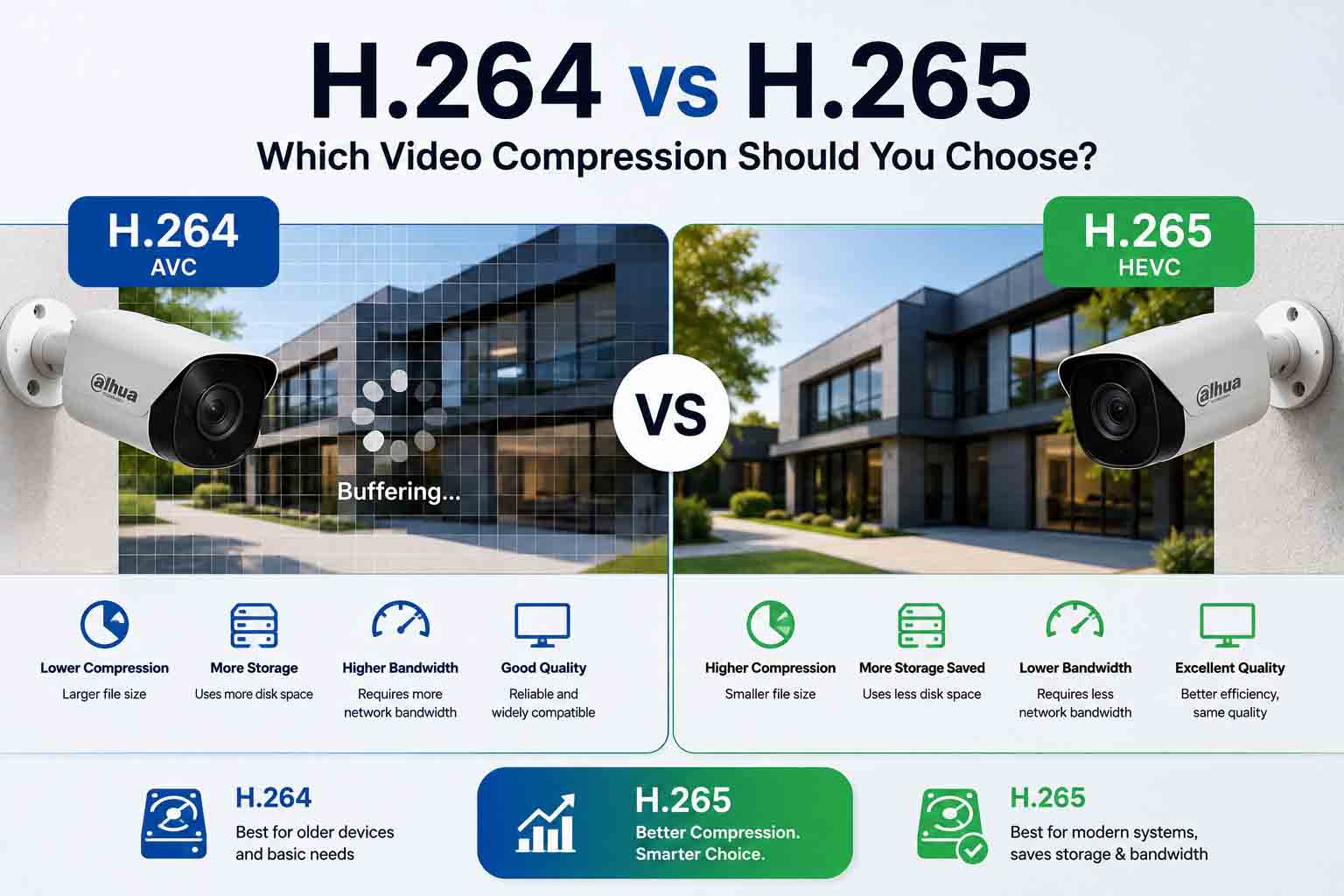
Video compression determines how much storage your CCTV system consumes, how much network bandwidth it needs and which devices can play the footage.
H.264 remains widely compatible and easier for older equipment to process. H.265 provides more efficient compression, making it the stronger option for most modern high-resolution CCTV systems.
The right choice depends on your cameras, recorder, remote-viewing devices and retention requirements.
TL;DR
Choose H.265 for most new Australian CCTV installations, particularly systems using 4MP, 6MP or 8MP cameras. It can deliver comparable image quality at a lower bitrate than H.264, reducing storage use and the bandwidth needed for remote viewing.
Choose H.264 when compatibility with older cameras, recorders, computers, browsers or third-party software is more important than storage efficiency.
For an eight-camera system recording continuously, moving from an illustrative bitrate of 4 Mbps per camera with H.264 to 2 Mbps with H.265 could reduce 30-day storage from approximately 10.4 TB to 5.2 TB. Actual savings depend on the scene, camera, resolution, frame rate and encoding settings.
H.264 vs H.265 at a glance
|
Feature |
H.264 |
H.265 |
|
Full name |
Advanced Video Coding, or AVC |
High Efficiency Video Coding, or HEVC |
|
Standard introduced |
2003 |
2013 |
|
Compression efficiency |
Good |
Higher |
|
Typical file size |
Larger |
Smaller at comparable quality |
|
Bandwidth requirement |
Higher |
Lower at comparable quality |
|
Processing requirement |
Lower |
Higher |
|
Device compatibility |
Very broad |
Strong on modern equipment |
|
Best suited to |
Older systems and maximum compatibility |
Modern 4MP, 6MP, 8MP and 4K systems |
|
CCTV recommendation |
Use when compatibility requires it |
Preferred for most new systems |
What is video compression?
A CCTV camera produces a continuous sequence of images. Recording every image without compression would consume an impractical amount of storage and network bandwidth.
A video codec reduces the size of that footage. Instead of saving every frame as a completely new image, it can record a full reference frame and then store information about what changed in the following frames.
Consider a camera overlooking a quiet driveway. Most of the image, including the fence, building and ground, remains unchanged. The codec concentrates on changes such as a moving vehicle or person instead of repeatedly storing every unchanged part of the scene.
More efficient compression allows a security system to:
-
Retain footage for more days
-
Use smaller hard drives
-
Support more cameras on the network
-
Reduce remote-viewing bandwidth
-
Handle higher-resolution video more efficiently
Compression must still preserve useful evidence. Excessive compression can remove facial detail, number plates and other information that the camera was installed to capture.
What is H.264?
H.264, also known as AVC, has been used extensively for CCTV, video streaming, broadcasting and online video.
Its main advantage is compatibility. H.264 footage can be decoded by a broad range of recorders, computers, mobile devices, browsers and video-management platforms. It also requires less processing power than H.265.
H.264 remains useful when:
-
An older NVR or DVR does not support H.265
-
Footage must play on older computers
-
A third-party platform only accepts H.264
-
An older mobile device struggles to decode H.265
-
The recorder experiences performance problems with H.265
-
Maximum interoperability is required
The trade-off is larger file sizes and higher bandwidth consumption when compared with H.265 at a similar level of visual quality.
What is H.265?
H.265, also called HEVC, was developed as a more efficient successor to H.264. It uses more advanced methods to analyse and compress each video frame.
Published video-coding research reports average H.265 bitrate reductions of approximately 35 to 40 per cent at comparable objective quality, with subjective comparisons sometimes approaching 50 per cent. CCTV results vary because security footage contains different levels of movement, noise and detail.
In practical terms, H.265 can provide:
-
Smaller video files
-
Longer retention using the same hard drive
-
Lower network traffic
-
More efficient remote viewing
-
Better support for high-resolution video
-
Greater camera capacity within a fixed bandwidth limit
This improved efficiency requires more processing power. The camera must encode the H.265 stream, and the recorder, computer or mobile device must be able to decode it correctly.
How much storage can H.265 save?
Storage use is determined mainly by bitrate, recording duration and the number of cameras.
A useful estimate is:
Storage per day in GB = bitrate in Mbps × 10.8 × number of cameras
The following example assumes eight cameras recording continuously for 24 hours a day.
|
Setting |
H.264 example |
H.265 example |
|
Cameras |
8 |
8 |
|
Average bitrate per camera |
4 Mbps |
2 Mbps |
|
Total bitrate |
32 Mbps |
16 Mbps |
|
Approximate storage per day |
345.6 GB |
172.8 GB |
|
Approximate storage for 30 days |
10.4 TB |
5.2 TB |
|
Approximate storage for 60 days |
20.7 TB |
10.4 TB |
This example shows a 50 per cent reduction because the assumed bitrate is halved. It is not a guaranteed saving.
Actual storage consumption will change according to:
-
Camera resolution
-
Frames per second
-
Constant or variable bitrate
-
Amount of movement
-
Image noise at night
-
Lighting changes
-
Recording schedule
-
Event-based or continuous recording
-
Audio recording
-
Manufacturer-specific compression settings
A camera monitoring a quiet storeroom may compress very efficiently. A camera facing moving trees, heavy traffic or rain may require substantially more data.
Before selecting a drive, use the recorder manufacturer’s storage calculator or ask for a calculation based on the actual camera settings. Browse surveillance hard drives designed for continuous CCTV workloads.
Does H.265 provide better image quality?
H.265 does not automatically make the original camera image sharper.
Its main advantage is efficiency. It can retain comparable visual quality using a lower bitrate, or preserve more detail than H.264 when both codecs are restricted to the same bitrate.
Image quality still depends on:
-
Sensor quality
-
Camera resolution
-
Lens and focus
-
Camera placement
-
Lighting
-
Shutter speed
-
Wide dynamic range
-
Bitrate
-
Compression level
-
Frame rate
An 8MP camera using H.265 can still produce poor evidence if its bitrate is set too low. Fine details may become blurred or blocky, particularly when a person or vehicle moves quickly.
Do not respond to storage pressure by setting the bitrate to the lowest available value. The aim is to reduce unnecessary data without removing identification detail.
Why H.265 matters more for 4K CCTV
A 4K or 8MP camera records approximately four times as many pixels as a 1080p camera. Higher resolution can provide more detail, but it also increases the amount of data that must be encoded, transmitted and stored.
This is why H.265 is particularly valuable for:
-
8MP and 4K cameras
-
Eight-camera and 16-camera installations
-
Businesses requiring 30, 60 or 90 days of retention
-
Multi-site surveillance systems
-
Remote properties using limited internet connections
-
Systems with several users viewing footage remotely
Most modern 8MP CCTV cameras and compatible network video recorders support H.265. Always check the specifications of both the camera and recorder.
Bandwidth and remote viewing in Australia
CCTV video travelling between a camera and an NVR uses local network bandwidth. Viewing the system away from the property also uses the site’s internet upload capacity.
This distinction matters in Australia because download speed is not the only figure affecting remote CCTV. The upload speed available at the property determines how much live or recorded video can be sent to a remote phone or computer.
For example, four cameras viewed remotely at 4 Mbps each would require approximately 16 Mbps before allowing for network overhead. If H.265 reduces the required bitrate to 2 Mbps per camera, the same four streams would require approximately 8 Mbps.
Many systems avoid transmitting the full recording stream to a phone. They use:
-
A high-quality main stream for recording
-
A lower-resolution sub-stream for mobile live viewing
This approach helps deliver smoother remote viewing without reducing the quality of stored evidence.
H.265 can be especially useful for regional Australian properties, farms and worksites where upload capacity may be limited. It cannot compensate for an unstable connection, but it can reduce the amount of data required.
Shop NVRs for H.264 and H.265 Recording
Choosing between H.264 and H.265 video compression? Compare compatible NVR options for efficient CCTV recording, 4K camera support, storage management, and remote viewing.
H.265 compatibility problems to check
H.265 is widely supported by current CCTV equipment, but compatibility should not be assumed.
Potential problems include:
-
An older NVR that supports H.264 only
-
An NVR that supports H.265 at limited resolutions or frame rates
-
A computer without suitable H.265 decoding support
-
Exported files that will not open in basic video players
-
Third-party monitoring software that accepts H.264 but not H.265
-
Mobile devices that struggle with several high-resolution H.265 streams
-
Advanced camera features that only work with selected encoding settings
Both the camera and recorder must support the chosen codec. If a camera sends H.265 but the recorder only accepts H.264, recording may fail or the camera may need to be reconfigured.
When footage must be provided to police, an insurer or another party, export it in a widely accessible format where possible. Include the manufacturer’s playback software if the exported video uses a proprietary container.
What are H.264+ and H.265+?
H.264+ and H.265+ are manufacturer-enhanced compression modes rather than separate international video standards. Companies use scene analysis and bitrate control to reduce unnecessary data in surveillance footage.
These enhanced modes can produce useful additional savings in relatively static scenes. Performance will depend on the camera model, recorder and scene.
There are two practical limitations:
-
The camera and recorder may need to come from the same manufacturer for full support.
-
Third-party video-management software may support standard H.265 but not every manufacturer’s H.265+ implementation.
Use standard H.265 when broad compatibility is important. Consider H.265+ when the camera, recorder and playback environment are confirmed to support it.
H.264 or H.265 for different CCTV installations
Small home with two to four cameras
H.265 is generally the better option when all equipment is modern and compatible. It provides longer retention without requiring an unnecessarily large hard drive.
H.264 is acceptable when a homeowner is upgrading cameras but keeping an older recorder.
Browse four-camera CCTV kits with compatible cameras and recorders.
Retail store or office
Choose H.265, particularly if cameras record continuously. Storage savings become more significant as the number of cameras and required retention period increase.
Confirm that exported footage can be played easily on the computers used by management.
Warehouse or industrial property
H.265 is normally preferable because these sites may require 8MP cameras, numerous channels and longer recording periods.
Movement throughout the scene can raise the average bitrate, so storage calculations should include realistic operating conditions.
Farm or regional property
H.265 can reduce the upload bandwidth required for remote viewing. A lower-quality sub-stream should also be configured for mobile access.
Reliable local recording should remain the priority because remote connectivity may be interrupted.
Existing analogue CCTV system
The choice may be controlled by the DVR. Many older recorders support H.264 only, while modern hybrid recorders may support H.265 for compatible channels.
Confirm the recorder’s supported encoding settings before replacing cameras or increasing resolution.
Recommended settings for most modern systems
There is no universal bitrate or frame-rate setting for every camera. A reasonable starting configuration for a modern system is:
-
Use H.265 for the main recording stream
-
Use H.264 or H.265 for the sub-stream according to device compatibility
-
Use variable bitrate where appropriate
-
Set the maximum bitrate high enough to preserve motion detail
-
Use 12 to 20 frames per second for general surveillance
-
Increase the frame rate only where smoother motion is operationally necessary
-
Test day and night footage
-
Check playback on every required device
-
Verify the actual number of retained days after the system has operated normally
A cash-handling point or fast-moving entrance may need a different setting from a quiet storage area. Configure cameras according to their purpose rather than applying one profile across the entire site.
Which codec should you choose?
Choose H.264 if:
-
You use an older NVR, DVR or computer
-
Third-party software does not support H.265 reliably
-
Footage must play across the widest possible range of devices
-
H.265 causes errors, delays or poor playback
-
The system uses low-resolution cameras and storage is not a concern
Choose H.265 if:
-
You are installing a new CCTV system
-
Your cameras and recorder support it
-
You use 4MP, 6MP or 8MP cameras
-
You need longer footage retention
-
Upload bandwidth is limited
-
You operate eight or more cameras
-
Reducing storage requirements is a priority
Final verdict
H.265 is the better choice for most new Australian CCTV systems. It uses storage and bandwidth more efficiently, which becomes increasingly important as resolution, camera count and retention requirements grow.
H.264 still has a valuable role. Its broad compatibility makes it suitable for older equipment and situations where footage must play across many different devices or platforms.
The safest approach is to confirm support at every stage: camera, recorder, mobile app, computer and video-management software. Then test exported footage before relying on the system during an incident.
If you are planning a new installation, compare compatible IP cameras, NVRs and surveillance hard drives. For help calculating storage and recorder capacity, contact CCTV Importers.
Frequently asked questions
Is H.265 better than H.264 for CCTV?
H.265 is generally better for modern CCTV because it can provide comparable image quality at a lower bitrate. This reduces storage and network use. H.264 remains better for older devices or software that does not support H.265.
Does H.265 use half the storage of H.264?
It can approach that level under some conditions, but a 50 per cent saving is not guaranteed. Research commonly reports reductions of roughly 35 to 50 per cent at comparable quality. The actual result depends on the equipment, scene and encoding settings.
Can an H.264 NVR record an H.265 camera?
Only if the camera can be configured to output H.264. An H.264-only recorder cannot normally decode an H.265 stream.
Does H.265 reduce video quality?
Not inherently. H.265 is designed to maintain comparable quality at a lower bitrate. However, setting the bitrate too low can still remove important image detail.
Is H.265 good for remote CCTV viewing?
Yes. Its lower bandwidth requirement can improve remote viewing, especially where the property has limited upload speed. Device compatibility and connection stability still matter.
Should I use H.265 or H.265+?
Use standard H.265 when compatibility across brands and software is important. Use H.265+ when the camera, recorder and playback system all support the manufacturer’s enhanced compression mode.


