
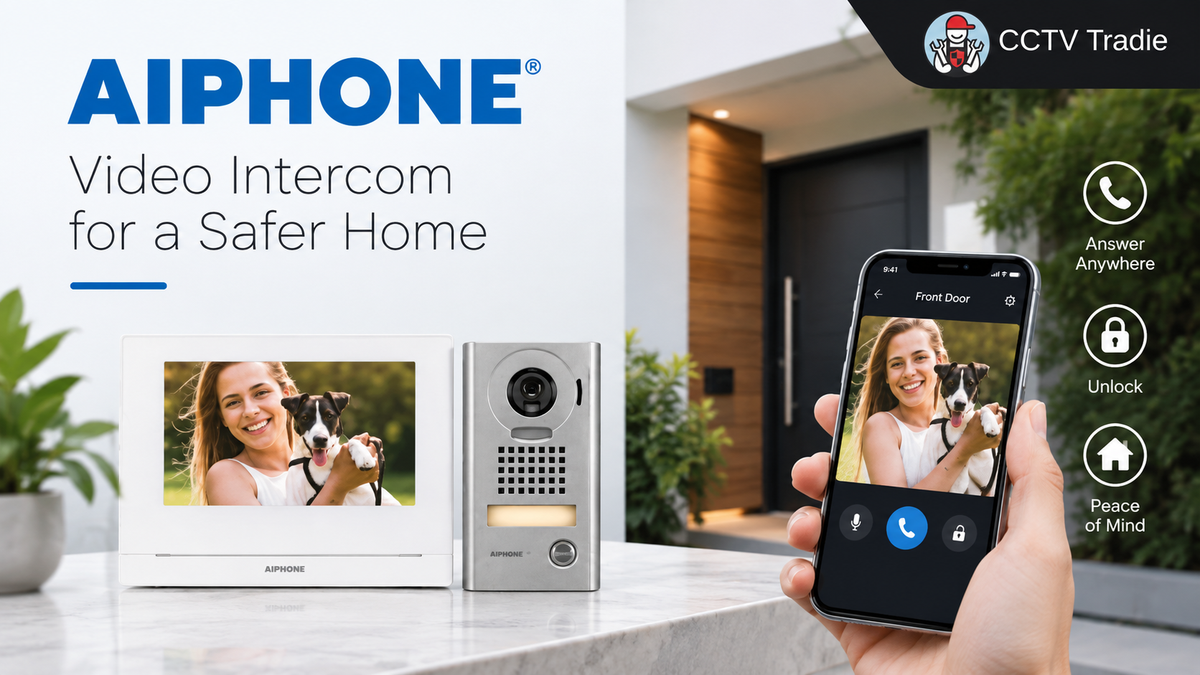
Published by CCTV Tradie | September 2026
If you have been comparing Aiphone JO Series video intercom kits, you may have noticed that many of the model numbers look almost identical.
JOS-1AW, JOS-1VW, JOS-1FW, JOS-1A, JOS-1V, JOS-1F, JOS-1A2 and JOS-1V2 all belong to the same JO Series family, but there are important differences between them.
Some support the Aiphone mobile app. Some provide two physical indoor stations. And depending on the kit, you can get a standard surface-mounted, vandal-resistant surface-mounted or stainless-steel flush-mounted outdoor station.
The easiest way to choose is to answer three questions:
1. Do you want to answer the intercom from your smartphone?
2. Do you need one or two physical indoor stations?
3. What type of outdoor door station suits your entrance?
Once you understand those three differences, the Aiphone JO Series becomes much easier to navigate.
What Is the Aiphone JO Series?
The Aiphone JO Series is a video intercom system designed around a single entrance.
A typical system consists of:
Outdoor door station → Indoor video station → Power supply
When someone presses the call button at the entrance, the indoor station receives the call. You can see the visitor on the screen and communicate using hands-free or push-to-talk operation.
Depending on the selected JO Series components, the system can also provide an additional physical indoor station, mobile app connectivity and integration with compatible door-release equipment.
Aiphone describes the JO Series as an entry-level 7-inch video intercom system with configurations available as both 1x1 and 1x2 systems.
The Simple Way to Understand Aiphone JO
Before looking at every individual model, there is a much easier way to understand the system.
Want the mobile app?
Choose a W model.
JOS-1AW, JOS-1VW and JOS-1FW use the JO-1MDW app-compatible master station.
Want two physical indoor monitors?
Look at the JOS-1A2 or JOS-1V2.
These include a JO-1MD master station and JO-1FD expansion station, but they do not provide mobile app capability.
Then choose your outdoor station.
A = JO-DA
Standard plastic surface-mount station.
V = JO-DV
Zinc die-cast, vandal-resistant surface-mount station.
F = JO-DVF
Stainless-steel, vandal-resistant flush-mount station.
That is the basic logic behind most of the JO Series kit options.
JO Series System Capacity: 1 Door, 2 Stations and Up to 8 Apps
One of the most useful diagrams in Aiphone's product sheet shows the overall JO Series concept.
Depending on the configuration, the system supports:
1 × door
Up to 2 × master/expansion stations
Up to 8 × mobile apps
The smartphone or tablet effectively operates as a Virtual Expansion Station when used with the JO-1MDW app-compatible master station.
This makes the JO Series particularly interesting for residential properties and smaller businesses where there is only one primary entrance but several people may need to answer it.
JO-1MD vs JO-1MDW: This Is the Most Important Difference
The biggest source of confusion when comparing Aiphone JO kits is often the indoor monitor.
There are two important master stations to understand:
JO-1MD
and
JO-1MDW
They may look similar, but their capabilities are different.
JO-1MD: Standard Video Master Station

The JO-1MD is Aiphone's standard video master station for these JO Series configurations.
It provides:
-
7-inch LCD screen
-
Touch buttons
-
Hands-free communication
-
Push-to-talk communication
However, there is one very important limitation:
The JO-1MD is not app-compatible.
The JO-1MD is included with:
JOS-1A
JOS-1V
JOS-1F
JOS-1A2
JOS-1V2
Aiphone specifically identifies the JO-1MD as not app-compatible.
So if answering your intercom from a smartphone is one of your main requirements, you need to pay close attention to which master station is included in the kit.
JO-1MDW: App-Compatible Video Master Station

The JO-1MDW is the app-compatible master station.
According to Aiphone, it provides:
-
7-inch LCD touchscreen
-
Hands-free communication
-
Push-to-talk communication
-
Built-in expandable memory for recording calls
-
Connection for up to 8 mobile apps
The JO-1MDW is included with:

This is the key component to look for if smartphone connectivity is important to you.
What Does the Aiphone Mobile App Do?
With a JO-1MDW, compatible smartphones and tablets can act as virtual expansion stations.
Aiphone's product sheet refers to this as the Intercom App Type B Virtual Expansion Station Mobile App.
The system supports up to 8 apps.
According to Aiphone, the app allows calls to be answered and doors to be unlocked while on the go, provided the appropriate system and door-release equipment have been configured. It also supports hands-free and push-to-talk communication.
This can be particularly useful when you're:
-
Away from the indoor monitor
-
Upstairs
-
In the backyard
-
Working elsewhere on the property
-
Away from home
-
Away from the reception desk in a small business
-
Expecting a visitor or delivery
Instead of relying exclusively on the wall-mounted monitor, compatible mobile devices become additional places from which an entrance call can be handled.
What Is the JO-1FD Expansion Station?

The JO-1FD is different from the mobile app.
It is a physical video expansion station.
It features:
-
7-inch LCD screen
-
Touch buttons
-
Hands-free communication
-
Push-to-talk communication
Aiphone includes the JO-1FD with the JOS-1A2 and JOS-1V2 box sets, and the product sheet also identifies it as being available separately.
For example, you could have:
JO-1MD downstairs
and
JO-1FD upstairs

This allows the intercom to be accessed from two physical locations.
Aiphone also notes that when selecting a 1x1 system, the video expansion station can be added later.
That can be useful if you're starting with a simpler installation but may want another physical station later.
Aiphone JO Series Kits Compared
Here is the easiest way to compare the main JO Series box sets listed in Aiphone's product sheet.
| Kit | Outdoor Station | Indoor Station(s) | Mobile App | Outdoor Mount |
|---|---|---|---|---|
| JOS-1AW | JO-DA | JO-1MDW | Yes | Surface |
| JOS-1VW | JO-DV | JO-1MDW | Yes | Surface |
| JOS-1FW | JO-DVF | JO-1MDW | Yes | Flush |
| JOS-1A | JO-DA | JO-1MD | No | Surface |
| JOS-1V | JO-DV | JO-1MD | No | Surface |
| JOS-1F | JO-DVF | JO-1MD | No | Flush |
| JOS-1A2 | JO-DA | JO-1MD + JO-1FD | No | Surface |
| JOS-1V2 | JO-DV | JO-1MD + JO-1FD | No | Surface |
Aiphone's product sheet confirms the component combinations for all eight box sets.
The next question is what the A, V and F versions actually mean in practical terms.
JO-DA: Standard Surface-Mount Door Station
The JO-DA is the standard outdoor door station.
It features:
-
Fixed camera
-
Plastic chassis
-
Weather-resistant construction
-
Surface-mount installation
It is included with:
JOS-1AW
JOS-1A
JOS-1A2
The JO-DA is a straightforward option where you want a standard video door station and do not require the more robust metal construction of the JO-DV or JO-DVF.
Because it is surface mounted, it can also suit installations where recessing a door station into the wall is unnecessary.
JO-DV: Vandal-Resistant Surface-Mount Door Station
The JO-DV is the more robust surface-mounted option.
It features:
-
Fixed camera
-
Zinc die-cast cover
-
Weather-resistant construction
-
Vandal-resistant construction
-
Surface-mount installation
It is included with:
JOS-1VW
JOS-1V
JOS-1V2
The key difference from the JO-DA is its more robust exterior construction.
This can make the JO-DV suitable where a stronger external station is preferred while retaining a surface-mounted installation.
JO-DVF: Stainless-Steel Flush-Mount Door Station
The JO-DVF is the flush-mounted option.

It features:
-
Fixed camera
-
Stainless-steel panel
-
Weather-resistant construction
-
Vandal-resistant construction
-
Flush-mount installation
-
Back box included
The JO-DVF is included with:
JOS-1FW
JOS-1F
Unlike the JO-DA and JO-DV, the JO-DVF is designed to be recessed into the mounting surface.
This can provide a cleaner, more integrated appearance at the entrance.
It can be particularly attractive for new builds, renovations and commercial entrances where the external appearance of the intercom installation is important.
JOS-1AW vs JOS-1VW vs JOS-1FW
If you have already decided that you want mobile app connectivity, choosing between the three W kits becomes relatively straightforward.
All three include the same app-compatible JO-1MDW master station.
The major difference is the outdoor station.
JOS-1AW
JO-DA + JO-1MDW + PS-1820UL
Best suited when you want the standard plastic, weather-resistant surface-mounted door station.
JOS-1VW
JO-DV + JO-1MDW + PS-1820UL
Provides the zinc die-cast, weather and vandal-resistant surface-mounted JO-DV.
JOS-1FW
JO-DVF + JO-1MDW + PS-1820UL
Provides the stainless-steel, weather and vandal-resistant flush-mounted JO-DVF.
Aiphone confirms these three component combinations in its JO Series product sheet.
So when comparing these three models, you are mainly choosing how you want the outdoor station constructed and installed.
JOS-1A vs JOS-1V vs JOS-1F
These are the equivalent non-app configurations.
They use the standard JO-1MD master station instead of the JO-1MDW.
JOS-1A
JO-DA + JO-1MD + power supply
JOS-1V
JO-DV + JO-1MD + power supply
JOS-1F
JO-DVF + JO-1MD + power supply
All three are listed by Aiphone as 1x1 box sets with no app capability.
If you have no need to answer calls through a smartphone, these configurations provide the core physical video-intercom functionality.
What About JOS-1A2 and JOS-1V2?
These two kits are designed around having two physical indoor stations.
JOS-1A2 contains:
-
1 × JO-DA
-
1 × JO-1MD
-
1 × JO-1FD
-
1 × PS-1820UL
JOS-1V2 contains:
-
1 × JO-DV
-
1 × JO-1MD
-
1 × JO-1FD
-
1 × PS-1820UL
These are described by Aiphone as 1x2 box sets with no app capability.
This distinction is important.
Two physical screens does not automatically mean mobile app support.
If smartphone connectivity is essential, check that your system uses the JO-1MDW rather than assuming every JO Series touchscreen has app functionality.
What Power Supply Does the Aiphone JO Series Use?
Aiphone lists the PS-1820UL with its JOS box sets.
It is an:
18V DC, 2A power supply
and according to the product sheet it is included with all JOS box sets.
This is another advantage of purchasing the correct complete box set rather than selecting individual components without first confirming what is required.
Can the Aiphone JO Series Unlock a Door?
The JO Series can be incorporated into a door-release setup using appropriate compatible components.
Aiphone lists the RY-18L Form C Door Release Relay among the available JO Series accessories.
The product sheet also lists an:
EL-12S Electric Door Strike
along with a:
PT-1210NA 12V AC Transformer
Aiphone specifies that the PT-1210NA is required for the EL-12S.
This means customers should not assume that purchasing the basic intercom kit automatically provides everything necessary to electrically unlock a door.
The correct configuration depends on the electric lock, power requirements, relay arrangement, cabling and overall access-control design.
If door release is part of your project, confirm the required components before ordering.
Adding Access Control
Aiphone's JO Series accessory range goes beyond simply answering the door.
The product sheet lists the AC-10S Stand-Alone Access Control Keypad, with a body style designed to match the JO-DV.
This can be useful where a property needs both an intercom and separate keypad-based access control at the entrance.
For example, a visitor may use the Aiphone intercom to call the property, while an authorised user may have their own access method.
The exact access-control configuration should be designed around the site's locking and security requirements.
Mounting Accessories: Getting the Camera Angle Right
One detail that is sometimes overlooked when choosing an intercom is the physical position of the outdoor camera.
A door station mounted completely flat against a wall may not always provide the desired viewing angle.
Aiphone therefore lists several mounting accessories.
KAW-D 30° Angle Box
Designed for the JO-DA, allowing the door station to be positioned at a 30-degree angle.
KMB-45 45° Mullion Mounting Bracket
A 45-degree mullion mounting bracket for the JO-DA.
JK-MB Mullion Mounting Bracket
Designed for the JO-DV.
SBX-DV30 30° Angle Box
Provides a 30-degree mounting option for the JO-DV.
These accessories can be useful when the intercom is mounted beside a doorway rather than directly facing the person standing at the entrance.
Surface and Special Mounting Options
Aiphone also lists additional mounting hardware for different installation requirements.
The MKW-P is a 1-gang mounting plate for the JO-DV, while the SBX-DVF provides a surface-mount box for the JO-DVF.
This is worth considering before installation because the wall construction, available cavity, existing cabling and desired appearance can influence which door station and mounting accessory are most appropriate.
Can the Indoor Monitor Sit on a Desk?

Yes.
Aiphone lists the MCW-S/A Desk Stand for:
JO-1MDW
JO-1MD
JO-1FD
with mounting hardware included.
This can be particularly useful in commercial environments.
Instead of mounting the monitor on a wall, it may be positioned on a:
-
Reception desk
-
Office desk
-
Front counter
-
Security desk
-
Administration area
For some businesses, this can make the intercom easier to reach during normal daily operations.
Need to Hear the Intercom Somewhere Else?
Aiphone also lists the IER-2 Call Extension Speaker.
An extension speaker can be useful in situations where the normal indoor station may not be easily heard throughout the required area.
Aiphone additionally lists the RY-ES External Signaling Relay for compatible external signalling applications.
Which Aiphone JO Series Kit Should I Buy?
Rather than starting with model numbers, start with your requirements.
I want smartphone access
Look at:
All three contain the JO-1MDW app-compatible master station.
Then choose the kit according to the outdoor station you prefer.
I want a standard surface-mounted outdoor station
Look at the JO-DA-based kits:
JOS-1AW for app compatibility
JOS-1A for a standard single indoor station without the app
JOS-1A2 for two physical indoor stations without the app
I want a stronger vandal-resistant outdoor station
Look at the JO-DV-based kits:
JOS-1VW for app compatibility
JOS-1V for a standard single indoor station without the app
JOS-1V2 for two physical indoor stations without the app
The JO-DV provides a zinc die-cast cover and is described by Aiphone as weather and vandal resistant.
I want a flush-mounted stainless-steel entrance station
Look at:
JOS-1FW if you want the app-compatible JO-1MDW.
JOS-1F if mobile app capability isn't required.
Both use the JO-DVF stainless-steel flush-mounted door station.
I want two physical indoor screens
Look at:
JOS-1A2
or
JOS-1V2
Both include the JO-1MD master station plus JO-1FD expansion station.
Remember that these box sets do not provide mobile app capability.
Aiphone JO Series Accessories at a Glance
| Accessory | Purpose |
|---|---|
| PS-1820UL | 18V DC, 2A power supply |
| JO-1FD | Additional physical video station |
| RY-18L | Form C door-release relay |
| EL-12S | Electric door strike |
| PT-1210NA | 12V AC transformer required for EL-12S |
| AC-10S | Stand-alone access-control keypad |
| KAW-D | 30° angle box for JO-DA |
| KMB-45 | 45° mullion bracket for JO-DA |
| JK-MB | Mullion mounting bracket for JO-DV |
| MKW-P | 1-gang mounting plate for JO-DV |
| SBX-DV30 | 30° angle box for JO-DV |
| SBX-DVF | Surface-mount box for JO-DVF |
| IER-2 | Call extension speaker |
| RY-ES | External signalling relay |
| MCW-S/A | Desk stand for compatible indoor stations |
These accessories are shown together on page 2 of Aiphone's JO Series product sheet, along with the three available door-station styles.
The Aiphone JO Series in Simple Terms
If all those model numbers still seem confusing, remember this:
Step 1: Do you want the mobile app?
Yes → Choose a W kit with JO-1MDW.
Step 2: Do you need two physical indoor stations?
JOS-1A2 or JOS-1V2 provide two physical stations, but no mobile app.
Step 3: Choose the outdoor station.
JO-DA
Plastic, weather resistant, surface mount.
JO-DV
Zinc die-cast, weather and vandal resistant, surface mount.
JO-DVF
Stainless steel, weather and vandal resistant, flush mount.
Step 4: Do you need door release or access control?
Check whether your installation requires a relay, electric strike, transformer, keypad or other compatible access-control equipment.
Step 5: Check the mounting position.
If the visitor will stand at an angle to the camera, consider whether an angle box or mounting bracket is required.
Aiphone JO Series: Quick Buying Example
For a typical home wanting smartphone access and a robust surface-mounted entrance station:
JOS-1VW
gives you:
JO-DV outdoor station
JO-1MDW 7-inch app-compatible master station
PS-1820UL power supply
The JO-DV provides the zinc die-cast, weather and vandal-resistant exterior, while the JO-1MDW provides the touchscreen and mobile-app functionality.
For a more integrated flush-mounted entrance, the equivalent app-compatible option is the JOS-1FW, which replaces the JO-DV with the stainless-steel JO-DVF.
If smartphone access isn't important and you would rather have two physical monitors, the JOS-1A2 or JOS-1V2 may make more sense.
Final Thoughts
The Aiphone JO Series is much easier to understand once you stop looking at the model numbers as completely different systems.
The main decisions are simply:
App or no app.
One or two physical indoor stations.
Standard, vandal-resistant or flush-mounted outdoor station.
For mobile connectivity, the key component is the JO-1MDW, which supports up to eight mobile apps. For a second physical location, the JO-1FD provides an additional indoor video station. And at the entrance, you can choose between the JO-DA, JO-DV and JO-DVF depending on the required construction and mounting method.
That flexibility allows the JO Series to cover anything from a straightforward residential front-door intercom to a more complete entrance system incorporating video communication, mobile access, electric door release and additional access-control equipment.
Shop Aiphone Intercom Kits
CCTV Tradie supplies Aiphone video intercom kits and compatible accessories for residential and commercial applications across Australia.
If you're unsure which JO Series kit is right for your installation, check four things before ordering:
Mobile app required?
One or two indoor stations?
Surface or flush-mounted door station?
Door release or access control required?
Getting those details right at the beginning makes choosing the correct Aiphone kit much simpler.
Product Information
This guide is based on the Aiphone JO Series Product Sheet #91294. Product availability, mobile app support and specifications may change over time. Confirm current compatibility and installation requirements for the exact product before purchasing or designing a system.


