
Introduction
Most home security gaps are not dramatic. A side gate with no camera. A spare key under the third pot plant. A camera system that goes dark the moment the power drops in a summer storm. None of these feel urgent until the day they matter.
This home security checklist walks through the practical steps worth checking on any Australian home, in the order we would check them on a site visit. Work through it in a weekend, tick off what you already have, and you will end up with a short, honest list of what to fix next.
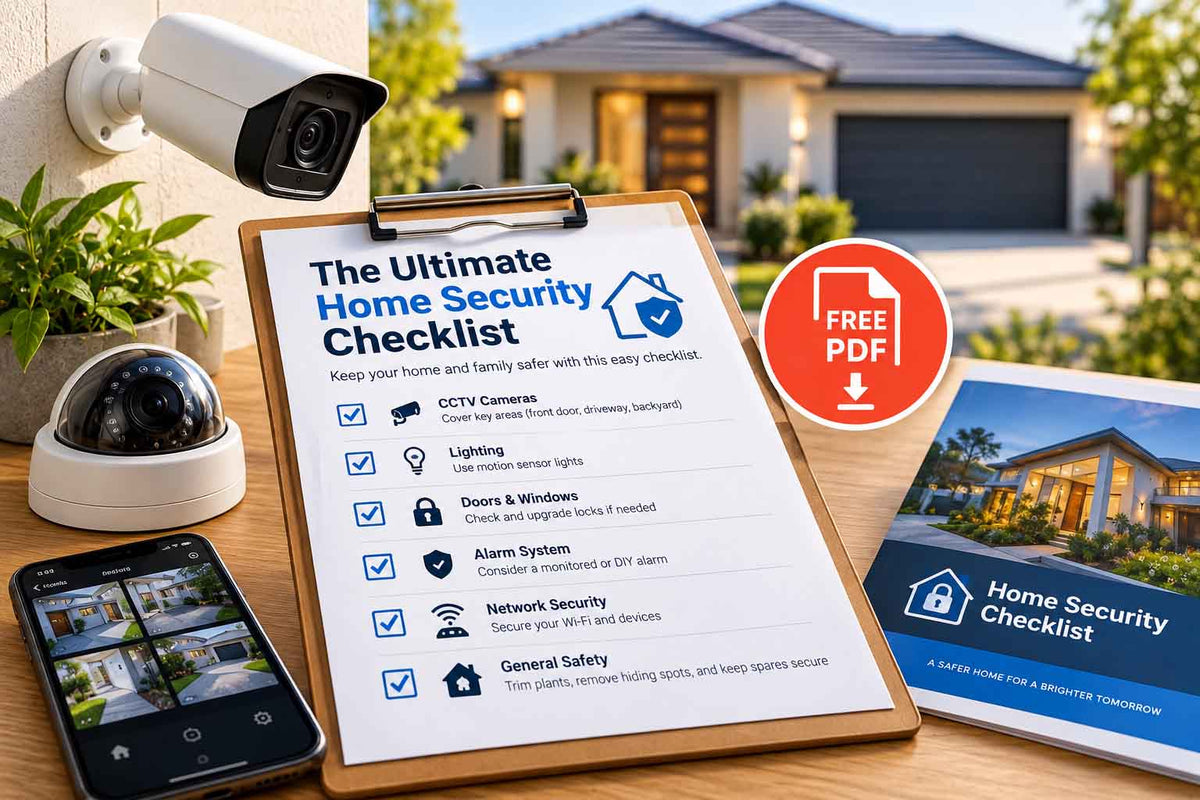
Download the Free Home Security Checklist
Use this free PDF checklist to review your home security setup, including doors, windows, lighting, alarms, CCTV coverage and key areas that may need extra protection.
Download Free PDF ChecklistTL;DR
• Start with entry points, not gadgets. Front door, side gate, back door and garage get covered first.
• Cameras: cover the driveway, front door and side access before anything else. 6MP minimum, mounted 2.4 to 3m high.
• Alarms: put sensors where an intruder must walk, not in every room. Decide between self-monitoring on your phone and professional back-to-base monitoring.
• Backup power: a UPS on the recorder and a battery in the alarm panel keep everything running when the power drops.
• Doors and windows: a camera records a break-in; good locks and security screens help prevent one.
• Habits cost nothing: no hidden keys, no holiday posts until you are home, and the bins brought in.
How to use this checklist
The list is split into six areas: cameras, alarms, doors and windows, lighting and perimeter, everyday habits, and renters vs homeowners. For each item, mark it as done, needs work, or not applicable. Anything marked "needs work" on an entry point goes to the top of your list.
1. Home Security Cameras: Placement Comes First
A camera only helps if it sees the right spot, at the right height, with enough detail to identify someone. Cover entry points in this order.
Priority 1: Front door and driveway
• ☐ Camera covering the front door, with faces visible within about 8m
• ☐ Camera covering the driveway and any cars parked on it
• ☐ Video doorbell or intercom so you can answer the door without opening it
• ☐ Footage of the letterbox and parcel drop zone
This is where parcel theft, car break-ins and most visitors happen. A video doorbell is the cheapest first step for renters and apartments.
Priority 2: Side access and gates
• ☐ Camera covering each side gate and side path
• ☐ Gate locked from the inside, with a padlock or keyed latch
• ☐ No ladders, wheelie bins or outdoor furniture left near fences that someone could climb
Side paths are the usual route into a backyard because they are out of sight from the street. They are also the spot most homeowners leave uncovered.
Priority 3: Back door, rear boundary and outbuildings
• ☐ Camera covering the back door and rear sliding doors
• ☐ Rear boundary covered if the property backs onto a laneway, reserve or creek path
• ☐ Shed, garage and carport covered if they hold tools, bikes or a second car
Camera setup checks
• ☐ Cameras mounted 2.4 to 3m high with a slight downward tilt
• ☐ 6MP minimum resolution, 8MP for driveways and gates
• ☐ IP66 or IP67 rating on every outdoor camera
• ☐ Night footage checked after dark: faces and clothing are recognisable
• ☐ AI person and vehicle detection on, so alerts are not triggered by trees
• ☐ Recorder (NVR) hidden or locked away, not sitting next to the front door
• ☐ At least 14 days of footage stored
• ☐ Default passwords changed and firmware updated
• ☐ Cameras not pointed into a neighbour's windows or yard
Installer tip: Turret-style cameras are the easiest to aim and the least likely to collect spider webs across the lens. Our turret camera range covers 6MP and 8MP options from Hikvision, Dahua, HiLook and TP-Link.
Common blind spots to check
• The gap between the side gate camera and the back corner of the house
• Under carports, where car headlights wash out night footage
• The base of the front door, where parcels are left
• Any second entrance: granny flat, studio, pool gate or rear lane access
2. Alarm System Basics: Sensors, Monitoring and Backup Power
Cameras record what happens. An alarm system reacts in the moment, with a siren, a phone alert or a call to a monitoring centre. The two work best together.
Sensor placement
• ☐ Reed switches on the front door, back door, garage internal door and any sliding doors
• ☐ Motion sensors (PIRs) in hallways and living areas an intruder has to walk through, not in every room
• ☐ Sensors pointed away from windows, heaters and air-conditioner vents, which cause false alarms
• ☐ Pet-friendly sensors if a cat or dog has the run of the house
• ☐ Internal and external sirens, with the external siren mounted high and out of reach
• ☐ Keypad placed inside, out of sight from the front door glass
Installer tip: Cover the path, not the room. A single motion sensor at the end of the main hallway often catches more than three sensors in bedrooms, because almost every route through the house passes it.
Monitoring options
|
Option |
How it works |
Ongoing cost |
Best for |
|
Self-monitored |
Alerts go to your phone app; you decide what to do |
None |
Most homes, renters, people usually near their phone |
|
Back-to-base monitoring |
A monitoring centre receives the alarm and calls you or sends a patrol |
Typically about $40 to $120 a month |
Long work trips, holiday homes, high-value properties, insurer requirements |
|
Hybrid |
Self-monitored, with a monitoring plan switched on when you travel |
Pay only when needed |
Frequent travellers |
If your insurer asks for a "monitored alarm", check whether they require back-to-base monitoring specifically.
Alarm setup checks
• ☐ Alarm armed every time you leave, and in night mode when you go to bed
• ☐ Every household member knows the code and how to cancel a false alarm
• ☐ Duress code set up, if your system supports one
• ☐ Alarm linked to cameras, so an alert opens the right camera on your phone
• ☐ Test the system every 3 months; replace sensor batteries when the app says so
Wireless systems such as Hikvision AX PRO alarm kits and Ajax alarm kits suit renters and finished homes because they need no cabling through walls.
Backup power: the gap most systems have
A burglar does not need to cut the power for it to matter. Storms, tripped circuits and network outages all knock out systems that have no backup.
• ☐ Alarm panel backup battery in good condition (most last 3 to 5 years)
• ☐ UPS battery backup on the CCTV recorder and the PoE switch
• ☐ Router and NBN connection box on the UPS too, so phone alerts still get through
• ☐ 4G backup communicator on the alarm if you rely on monitoring
• ☐ Cameras with SD cards as a second copy of footage if the recorder goes down
Replacement alarm backup batteries are cheap and are the most common fix we see on older systems.
3. Door and Window Security: Beyond Cameras Alone
A camera records a break-in. Solid doors, decent locks and secured windows are what stop one happening, or slow it down long enough for the alarm and the neighbours to do their job.
External doors
• ☐ Solid-core or metal external doors, not hollow-core internal doors used outside
• ☐ Deadlocks on every external door, including the laundry and garage side doors
• ☐ Strike plates fixed with long screws that reach the wall framing
• ☐ Door hinges on outward-opening doors protected with hinge bolts
• ☐ Security screen doors on the front and back doors. Look for products tested to the Australian Standard AS 5039
• ☐ Peephole, video doorbell or intercom so you never open the door blind
• ☐ Sliding doors fitted with a key lock and an anti-lift block or bar in the track
Safety note: a deadlock that needs a key from the inside can trap people in a fire. Keep the key near the door (out of reach from any glass panel), or use deadlocks with an internal snib on your main exit.
Garage
• ☐ Internal door from garage to house locked and alarmed
• ☐ Roller door motor kept locked or switched off when away for long periods
• ☐ Garage remote not left in a car parked on the driveway
• ☐ Tools and ladders locked away
Windows
• ☐ Keyed locks on all ground-floor windows and any first-floor windows reachable from a roof, pergola or balcony
• ☐ Window restrictors on windows left open for airflow
• ☐ Security screens or grilles on high-risk windows, such as laundry and bathroom windows facing side paths
• ☐ Valuables not visible from outside windows
Lighting and perimeter
• ☐ Sensor lights on the driveway, side paths, back door and anywhere a camera needs light at night
• ☐ Front porch light on a timer or smart switch
• ☐ Gardens trimmed below window height so nobody can work unseen
• ☐ House number clearly visible from the street for police and ambulance
• ☐ Fences and gates in good repair, without gaps
Sensor lights double as a camera upgrade: they give infrared cameras enough light to switch to colour footage at the moment it matters. A smart light switch on the porch light lets you run it on a schedule while you are away.
For homes and units with a shared entry, a video intercom kit lets you see and speak to visitors before you unlock anything.
4. Simple No-Cost Habits That Reduce Risk
These take a few minutes and cost nothing, yet they close gaps that expensive equipment misses.
• ☐ No spare keys hidden outside. Leave one with a trusted neighbour or use a key safe
• ☐ Car keys kept away from the front door, where they can be hooked through a letterbox or cat flap
• ☐ Doors locked even when you are home, especially the back door while you are in the front yard
• ☐ No holiday photos posted until you are back
• ☐ Mail collected and bins brought in by a neighbour while you are away
• ☐ Delivery boxes for TVs and laptops flattened and put inside the recycling bin, not left beside it
• ☐ Wi-Fi and camera app passwords changed from the defaults, with two-factor login switched on
• ☐ Serial numbers and photos of valuables saved, for insurance and police
• ☐ Neighbours' numbers saved, and an agreement to keep an eye out for each other
5. Renters vs Homeowners: Quick Reference
|
Area |
Renters |
Homeowners |
|
Cameras |
Video doorbell, Wi-Fi or battery cameras with no drilling, or written landlord approval for fixed cameras |
Wired PoE system with an NVR, covering all entry points |
|
Alarm |
Wireless alarm kit you can take with you |
Wired or wireless alarm, with back-to-base monitoring if needed |
|
Locks |
Ask the landlord in writing to repair or upgrade faulty locks |
Upgrade to deadlocks, security screens and keyed window locks |
|
Lighting |
Plug-in or battery sensor lights |
Hardwired sensor lights installed by an electrician |
|
Before moving in |
Ask whether the locks were changed after the last tenant |
Rekey or replace all locks after buying |
|
Taking it with you |
Choose gear that unmounts cleanly and patch any holes |
Leave the system as a selling point, or take portable devices |
For renters: your rights to request security repairs and minor modifications vary by state. In Victoria, for example, rental minimum standards require working locks on external doors and windows. Check your state's tenancy authority, and always get landlord approval in writing before drilling.
Home Security Checklist FAQs
What is the most important part of home security?
Covering the entry points. Most break-ins happen through a door or window that was unlocked, weak or hidden from view, so locks, cameras and sensors on those points matter more than anything else.
How many security cameras does an average house need?
Most Australian homes are well covered with 4 cameras: front door, driveway, side access and back door. Larger blocks or homes with rear lane access may need 6 to 8.
Is an alarm or cameras better for home security?
They do different jobs. An alarm reacts in the moment with a siren and an alert. Cameras record evidence and let you check what triggered the alert. Most homes get the best protection from both, linked together.
Do security cameras work during a blackout?
Only if they have backup power. Put the recorder, PoE switch and internet router on a UPS battery backup, and make sure your alarm panel's backup battery is in good condition.
Can renters install security cameras?
Yes, with some limits. Video doorbells and battery cameras that need no drilling are usually fine. Fixed wired cameras need written approval from the landlord, and every camera must avoid recording neighbours' private areas.
How often should I review my home security?
Work through this checklist once a year, and again after any renovation, change in household, break-in nearby or move to a new home.
The Bottom Line
Good home security is a set of small, boring jobs done well: entry points covered, sensors where intruders must walk, backup power in place, solid locks, and a few good habits. Work through the checklist, mark what needs work, and fix the entry points first.
Download the Free Home Security Checklist
Use this free PDF checklist to review your home security setup, including doors, windows, lighting, alarms, CCTV coverage and key areas that may need extra protection.
Download Free PDF ChecklistWhen you are ready to fill the gaps, browse our Dahua IP camera kits or Hikvision alarm kits, or call our team on 0400 391 455 for help planning a system for your home.


