
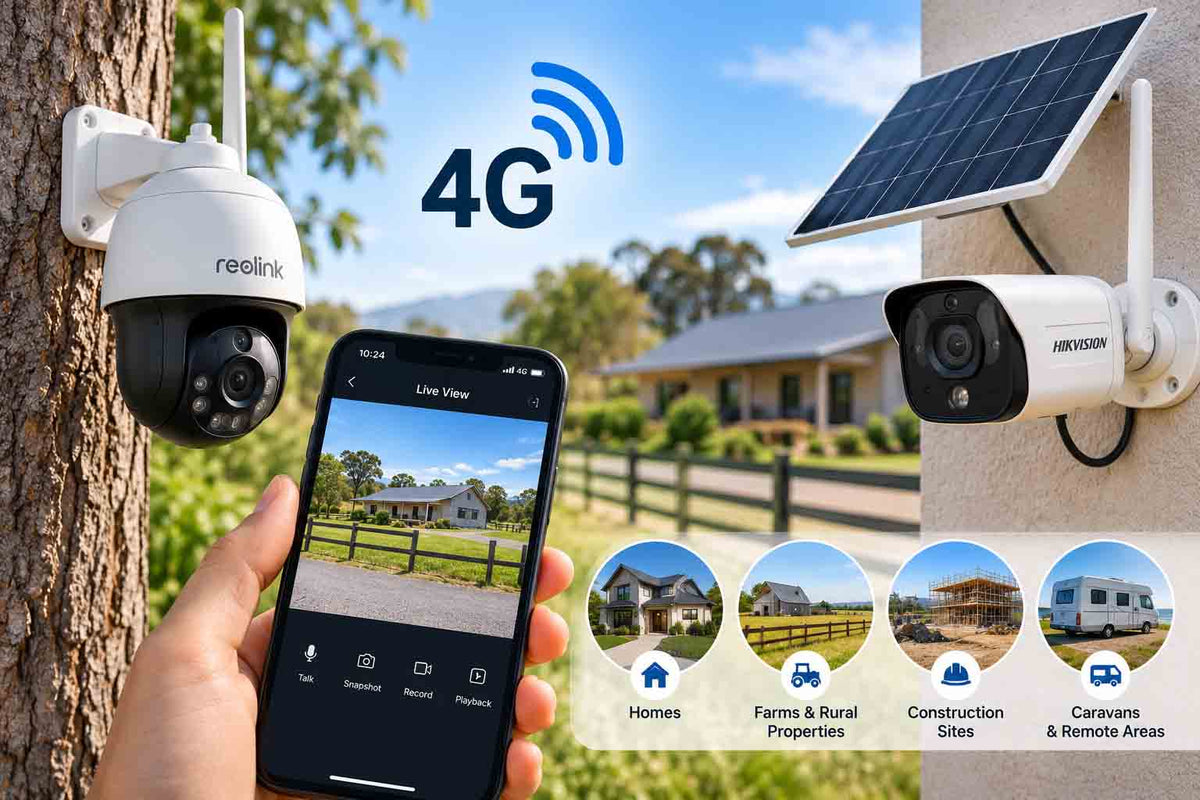
The front gate is 400 metres from the house. The machinery shed has no power. The building site has nothing but a temporary fence and a portaloo. Wi-Fi cameras are useless in all three places, and that is exactly where a 4G security camera earns its keep.
This guide covers how 4G cameras work, how much mobile data they really use, which network to choose, and how to size solar so the camera keeps running through a Victorian winter.
TL;DR:
A 4G security camera uses a SIM card to send alerts and live video over the mobile network, so it works without Wi-Fi or a power point. Pair it with a solar panel and battery for fully off-grid sites. Expect around 3 to 15GB of data a month for typical motion-alert use. Choose the carrier with the strongest signal at your exact mounting spot, not the cheapest plan. Old 3G cameras stopped working when Telstra and Optus closed their 3G networks in October 2024.
How a 4G security camera works
Inside the camera is a cellular modem, just like a phone. You insert a data SIM, the camera connects to the nearest tower, and the app on your phone talks to it through the mobile network. Footage records to a microSD card on the camera, and clips or live view stream to your phone when you ask for them.
Most 4G cameras are built for low power use. They sleep until PIR or radar motion wakes them, record a clip, push an alert and go back to sleep. That is how a small solar panel can keep them alive indefinitely.
Where 4G cameras make sense
|
Site |
Why 4G works |
Watch out for |
|---|---|---|
|
Farm gates and paddocks |
No power or Wi-Fi for kilometres |
Signal in gullies and behind hills |
|
Construction sites |
Temporary, moves between jobs |
Theft of the camera itself, mount high |
|
Holiday homes and shacks |
No NBN or switched-off internet |
Data use when you check in often |
|
Sheds, workshops, boat storage |
Away from the house network |
Metal walls block signal, mount outside |
|
Vacant properties for sale |
Quick install, no account setup with ISP |
Remove before settlement |
Our guides on farm and rural security cameras and solar security cameras go deeper on those sites.
The 3G shutdown: check your old camera
Vodafone switched off 3G in December 2023, and Telstra and Optus completed their 3G shutdown on 28 October 2024. Industry reporting at the time listed CCTV among the devices still relying on 3G. If you have an older SIM camera that went quiet in late 2024, that is almost certainly why. Replacement 4G cameras use the same idea with faster upload speeds and better coverage.
How much data does a 4G camera use?
This is the number every buyer wants and no store page gives. Data use depends on resolution, clip length and how often you open a live view. These estimates assume a 2K camera streaming at around 2 Mbps.
|
Usage pattern |
Example |
Approx. data per month |
|---|---|---|
|
Light |
10 motion clips a day, 10 min live view a week |
3 to 5GB |
|
Moderate |
30 clips a day, 30 min live view a week |
10 to 15GB |
|
Heavy |
80+ clips a day (busy gate, wind triggers) |
25 to 40GB |
|
24/7 streaming |
Continuous upload |
600GB+ (not practical on 4G) |
The maths is simple: 2 Mbps for one hour equals roughly 0.9GB. Ten 30-second clips use about 75MB. False alerts from moving grass or trees are what blow out data, so set detection zones carefully and use person or vehicle detection where the camera offers it.
Installer tip: always set the camera to record full-quality footage to the SD card and stream the lower-resolution substream to your phone. You get detailed evidence on the card while keeping mobile data low.
Choosing a carrier and SIM
Telstra says its 4G network reaches about 99.7% of the Australian population, but population coverage is not the same as land coverage. Farms, forests and coastal gullies often have patchy signals on every network.
-
Stand at the exact mounting spot and check signal bars on phones from different carriers.
-
Pick a data-only SIM with enough allowance (start with 10 to 20GB) and data rollover.
-
Avoid plans that suspend the service after a period of no calls; some prepaid voice plans do this.
-
In weak areas, choose a camera with an external antenna socket and fit a higher-gain antenna.
Sizing solar for Australian conditions
A 4G camera with solar works brilliantly in Queensland and northern WA. In Tasmania, Victoria and alpine NSW, winter needs more care.
|
Location |
Winter sun |
Panel advice |
|---|---|---|
|
Brisbane, Perth, Darwin |
Good year-round |
Standard panel supplied with camera |
|
Sydney, Adelaide |
Moderate in winter |
Standard panel, angle steeper (about 40 to 50 degrees) |
|
Melbourne, Hobart, Canberra |
Low in June and July |
Larger panel or second battery; reduce clip length |
Face the panel north, clear of shade from trees and gutters, and tilt it more steeply in southern states to catch the lower winter sun. Wipe dust and bird droppings off every few months.
What to look for in a 4G camera
-
Australian band support: confirm the modem supports the 4G bands used locally (bands 1, 3, 5, 7, 8, 28 and 40 cover the major carriers).
-
Resolution: 2K to 4MP is common; higher resolution uses more data.
-
Detection: PIR or radar plus AI person and vehicle filtering.
-
Battery and solar: a removable battery and a panel rated for the camera's draw.
-
Weatherproofing: IP66 or IP67 for dust storms and coastal salt.
-
Local storage: microSD up to 256GB or more so footage is not lost if the network drops.
Frequently asked questions
Do 4G security cameras need Wi-Fi?
No. They connect to the mobile network using a SIM card. You only need Wi-Fi on your phone if you want to view footage on your home network.
How much data does a 4G camera use per month?
Most motion-triggered setups use 3 to 15GB a month. Heavy live viewing or frequent false alerts can push it past 25GB.
Can a 4G camera record 24/7?
It can record continuously to the SD card if it has mains or large solar power. Streaming 24/7 over 4G is not practical because of data and battery limits.
Which SIM is best for a 4G security camera in Australia?
The one with the strongest signal at your mounting spot. Test with phones on Telstra, Optus and Vodafone networks before buying a plan.
Will my old 3G camera still work?
No. Australia's 3G networks closed by late 2024. A 3G-only camera can still record locally but cannot send alerts or stream.
Keep watch where Wi-Fi can't reach
A 4G security camera with solar is the simplest way to protect a gate, shed or site with no power and no internet. Test signal first, size solar for winter, and tune detection to keep data costs down.
Shop solar-powered and 4G cameras or see the Dahua 4G solar PTZ camera we recommend for larger rural sites.


