
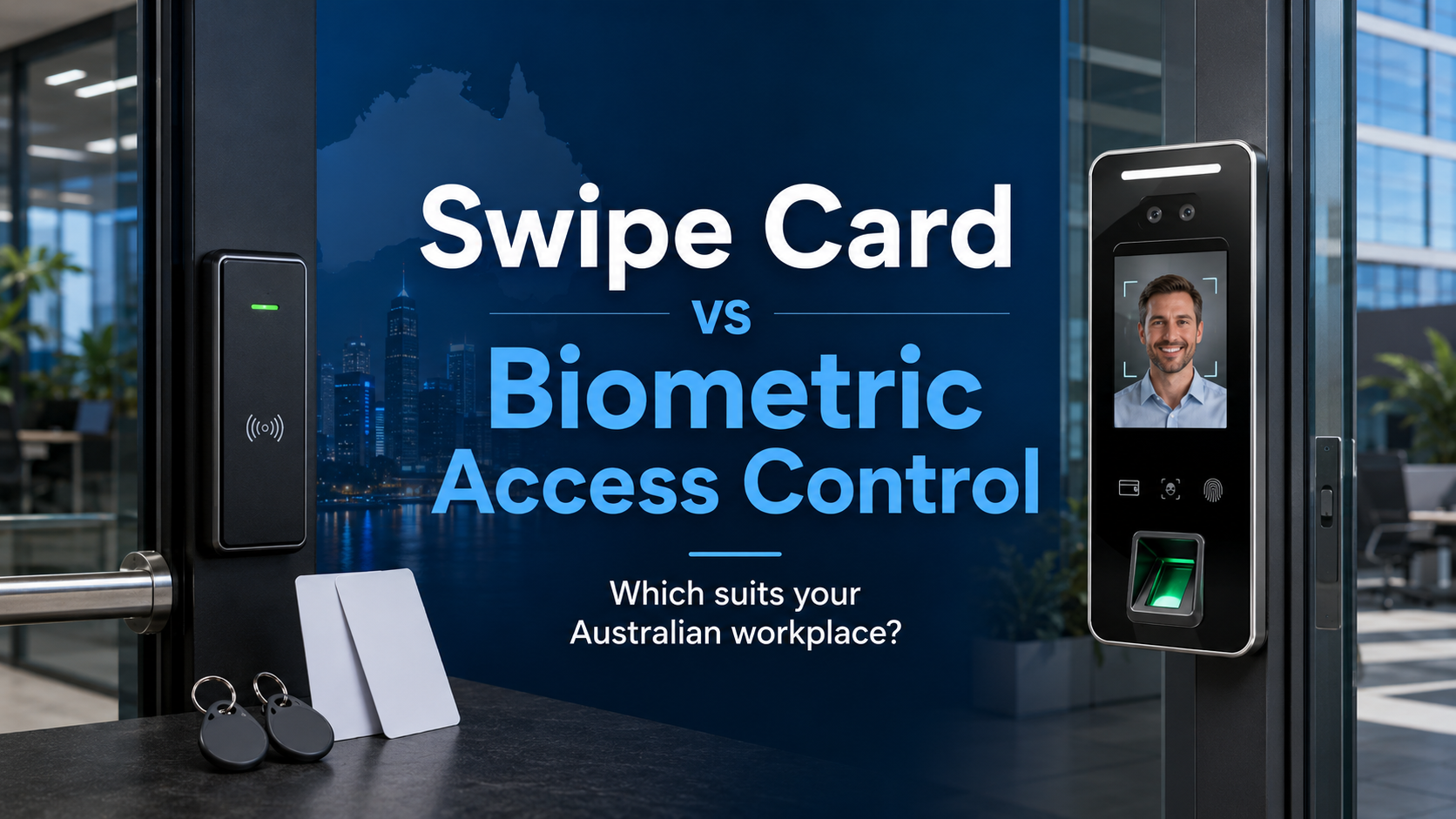
Someone tailgates through a secure door behind a staff member. The access log shows one valid credential. The camera shows two people walking in. That gap, between who the system thinks entered and who actually did, is one of the most common vulnerabilities in workplace access control.
Both swipe card and biometric systems solve the basic problem of replacing physical keys. Where they differ is in how much accountability they actually provide, how they hold up in real workplace conditions, and what they cost to run over time.
This guide covers both honestly. No jargon, no sales pitch. Just a practical breakdown to help Australian businesses make the right call.
How Swipe Card Access Control Works
Swipe card systems, more accurately called proximity card or RFID card systems, work by reading a credential embedded in a card or key fob. Staff tap or wave the card near a reader. The reader checks the credential against an access database. If it matches and the time or zone permissions allow it, the door opens.
Most modern systems use Mifare technology, which operates at 13.56MHz and is significantly more secure than older 125kHz proximity cards. Mifare keys and cards are the current standard for commercial access control in Australia, and for good reason. The older low-frequency cards can be cloned with a cheap reader purchased online. Mifare cards are encrypted and substantially harder to copy.
The system itself typically includes the readers mounted at each door, a controller that manages credentials and permissions, and software for adding or removing users and pulling access reports. Cloud-based versions manage all of this through a web dashboard or app.

Shop MIFARE Keys & Access Cards
Explore MIFARE keys and access cards for secure access control systems, including smart cards, key fobs, proximity cards, and RFID credentials for office, commercial, and residential security setups.
View MIFARE Keys CollectionHow Biometric Access Control Works
Biometric systems verify identity using something physically unique to the person: a fingerprint, a face, an iris pattern, or a vein structure. The credential cannot be borrowed, forgotten, or copied in the way a card can.
During enrolment, the system captures and stores a template of the biometric data. This is not a photo or a raw scan. It is a mathematical representation that the system uses for comparison. When someone presents at the door, the live scan is compared against the stored template. If they match within the configured threshold, access is granted.
Fingerprint readers are the most common type in Australian commercial settings. Facial recognition is growing quickly, particularly in environments where hands are frequently in use or hygiene matters. Biometric access control systems now cover a broad range of form factors and price points, from basic fingerprint readers for small offices through to multi-modal systems combining face and card for high-security environments.

Shop Biometric Access Control Products
Explore biometric access control products for secure workplaces and commercial buildings, including fingerprint readers, face recognition terminals, biometric attendance devices, and access control solutions.
View Biometrics CollectionSwipe Card vs Biometric: The Key Differences
Security and Accountability
This is where the two systems diverge most meaningfully.
A swipe card proves that a valid card was presented. It does not prove who was holding it. If a staff member lends their card to a colleague, the system logs an authorised entry. If a card is stolen and used before anyone notices it is missing, the system logs an authorised entry. The log looks clean even when something has gone wrong.
Biometrics solve this. A fingerprint cannot be lent. A face cannot be borrowed. The credential is the person, which means the access log is a genuine record of who passed through a door, not just which card was tapped.
For most general offices, this distinction does not matter much day to day. For healthcare facilities, pharmaceutical storage, financial services, data centres, or any environment where individual accountability is a compliance requirement rather than just a preference, it matters a great deal.
That said, swipe card systems still provide a meaningful audit trail for most commercial purposes. Knowing that Card 047 accessed the server room at 2:14am is useful information even if you cannot guarantee who was holding it.
Hygiene Considerations
This became a bigger conversation after 2020, and it has not gone away. Fingerprint readers require physical contact. In high-traffic environments, every person who uses the reader touches the same surface. For most office applications this is a minor concern. For food production facilities, medical practices, childcare centres, or any workplace with heightened hygiene requirements, it is a genuine operational issue.
Facial recognition and iris scanners solve this completely. No contact required. The person walks up, the system reads their face, the door opens. In environments where that matters, touchless biometrics are worth the additional cost.
Swipe cards also involve touch, but only the person touches their own card. The reader surface is contacted, but briefly and without the level of contact a fingerprint reader requires.
Cost: Upfront and Ongoing
Swipe card systems generally cost less to get started.
A basic card reader and controller for a single door, professionally installed, typically runs from $600 to $1,500. Mifare cards cost a few dollars each at volume. The main recurring cost is card replacement when cards are lost, and credential management time when staff turn over.
Biometric readers cost more per door. A quality fingerprint reader starts around $300 to $600 for the hardware alone, before controller and installation costs. Multi-modal or facial recognition systems sit higher again. For a five-door office, the difference in hardware cost between a card system and a biometric system can be $2,000 to $5,000 or more.
Where biometrics potentially claw some of that back is in ongoing costs. There are no cards to replace, no fobs to reissue, and no credential cost per user beyond the initial enrolment. For businesses with high staff turnover where card replacement and reissue is a constant cost, this adds up over time.
The rough guide for Australian commercial installations:
|
Setup |
Per Door Hardware |
Installation |
Ongoing Cost |
|
Swipe card (Mifare) |
$300 to $700 |
$300 to $600 |
Card replacement, admin |
|
Fingerprint biometric |
$500 to $1,000 |
$350 to $700 |
Low, enrolment time only |
|
Facial recognition |
$800 to $2,000 |
$400 to $800 |
Low, enrolment time only |
|
Combined card and biometric |
$700 to $1,500 |
$400 to $800 |
Card replacement only |
These are guides. Older buildings, complex door hardware, or multi-site setups will affect installation costs significantly. Always get two or three quotes and ask what is included.
Ease of Use
Swipe cards win on day-to-day convenience for most staff. Tap and go. No positioning required, no waiting for a scan, works regardless of what your hands look like today. For staff who are in and out of secure areas dozens of times a day, that speed matters.
Biometric readers require a moment of correct positioning. Fingerprint readers need a clean, dry, correctly placed finger. Facial recognition needs a clear line of sight and works better in consistent lighting. Most modern systems are genuinely fast, often under a second, but they do have failure modes that card systems do not.
The failure modes are worth understanding. Fingerprint readers can struggle with:
-
Wet or damp hands (common in kitchens, labs, healthcare)
-
Calloused or worn fingerprints (common in trades, manual work)
-
Cuts, bandages, or skin conditions affecting the fingertip
-
Dirt or grease on the sensor surface
These are not frequent problems for office workers at desks. For any workplace where people work with their hands, they are worth thinking about before committing to fingerprint as your primary credential type.
Installation Requirements
Both systems require professional installation for any commercial application. Swipe card systems are typically simpler to wire in, particularly if you are retrofitting an existing building. The reader is mounted at the door, cabling runs back to the controller, and the controller connects to your network or a local computer.
Biometric systems add the enrolment process to the installation workload. Every staff member needs to be individually enrolled, their biometric template captured, and their permissions configured. For a 20-person office this is a couple of hours. For a 200-person site, plan for a dedicated enrolment session.
For anything involving low-voltage wiring and fixed hardware, a licensed electrician is required in most Australian states. Licensing requirements vary across NSW, Victoria, Queensland, and WA, so confirm your installer holds the appropriate credentials before the job starts.
Privacy and Compliance
This is an area where biometric systems carry additional obligations that card systems do not.
Under the Australian Privacy Act 1988, biometric data is classified as sensitive personal information. This triggers stricter requirements around collection, storage, consent, and deletion. You need:
-
A clear privacy policy that covers biometric data
-
Explicit consent from staff before enrolment
-
Secure storage for biometric templates
-
A documented process for deleting data when employment ends
Some Australian states have additional workplace surveillance legislation on top of the federal Privacy Act. Victoria and NSW both have relevant legislation worth reviewing. If your business operates in a regulated industry, check whether sector-specific requirements apply.
Card-based systems are not entirely free of privacy considerations, access logs are personal data, but the compliance burden is considerably lighter than biometrics.
If you are considering biometrics, get legal or HR advice on your obligations before you commit. The system might be the right technical choice, but the compliance setup needs to be right before you collect anyone's fingerprint or face data.
Which Workplaces Suit Each System?
Swipe Card Works Best For:
General commercial offices where the main goal is replacing physical keys with something more manageable. Staff turnover happens, credentials need to be revoked quickly, and an audit trail is useful but not a compliance requirement. Mifare swipe card systems are the practical default for this situation.
Multi-door buildings where you need consistent access control across many entry points without the per-door cost premium of biometrics. Card systems scale efficiently.
Businesses that use contractors regularly. Issuing a temporary card with time-limited access is simple and reversible. Enrolling a contractor in a biometric system and then deleting their template adds more process friction for short-term access needs.
Retail and hospitality where staff movement is constant and access needs to change quickly. A new card takes seconds to issue and activate.
Biometric Access Control Works Best For:
High-security areas requiring individual accountability. Server rooms, pharmaceutical storage, financial records rooms, evidence handling, controlled substance storage. Anywhere where the question "who actually accessed this area?" needs a definitive answer rather than a probable one.
Healthcare and aged care facilities where buddy punching, which is one person clocking in for another, is both a compliance problem and a rostering risk. Biometrics eliminate it entirely.
Worksites with significant insider threat risk. A card can be passed along. A biometric credential cannot. If your risk profile includes the possibility of authorised credentials being shared, biometrics close that gap.
Environments where keys and cards are easily lost or damaged. Construction sites, workshops, and outdoor facilities go through cards quickly. A biometric credential never gets left in a jacket pocket or dropped in the mud.
Touchless applications where facial recognition removes contact entirely. Medical practices, food production, clean rooms, and childcare centres where hygiene standards make fingerprint contact undesirable. Browse our biometric access systems for touchless options suited to these environments.
The Hybrid Approach: Card and Biometric Together
Many commercial sites use both, assigning each to different areas based on the security requirement.
A typical setup might use swipe card access on general office entry points and meeting rooms, with biometric access on the server room, medication storage, or cash handling area. Staff carry one card for the general areas and use their fingerprint or face for the restricted zones.
This approach keeps costs reasonable while applying the right level of security where it actually matters. It also means that if someone loses their card, the most sensitive areas still require their physical biometric to enter.
Some systems support two-factor authentication on specific doors, requiring both a valid card tap and a biometric scan. That combination is difficult to defeat without both an authorised credential and the authorised person present.
Integrating Access Control With Your Broader Security Setup
Access control, whether swipe card or biometric, works best as part of a layered security setup rather than a standalone measure.
Door entry logs tell you a credential was used. A security camera system at the same entry point tells you who was there and what happened around that event. When those two data sources are integrated, an access event automatically pulls up the corresponding camera footage, which makes investigating incidents significantly faster.
A monitored alarm kit adds the response layer. If a door is forced, propped open, or accessed outside of permitted hours, an alert goes out rather than the event sitting silently in a log until someone reviews it the next morning.
Doorbell cameras on front entries complement access control by giving you visual verification at the point of entry, useful for visitor management and for any entry point that does not have a full camera installation behind it.
PoE cameras covering car parks, loading docks, and external access points close the gaps that door-level access control cannot cover. Someone who never makes it to the door is still on camera.
Common Mistakes Worth Avoiding
Choosing fingerprint readers for a hands-on workplace without testing them first. Get a demo unit and test it with the type of hands your staff actually have. A fingerprint reader that fails one in ten times is a significant operational problem in a busy environment.
Ignoring biometric data compliance before installation. Collecting fingerprint or facial data without a compliant privacy policy and staff consent process is a legal exposure. Sort this before enrolment, not after.
Using 125kHz proximity cards instead of Mifare. Older low-frequency cards are easily cloned. If you are investing in an access control system, invest in current-standard Mifare credentials. The card cost difference is minimal. The security difference is significant.
Not building enrolment time into the project plan. Biometric systems require every user to be individually enrolled. For larger teams this takes meaningful time. Factor it into your go-live planning.
Treating access control as a complete security solution. It is one layer. Without cameras, without an alarm, and without a clear process for credential management when staff leave, it leaves gaps that a determined person can find. Build the full picture from the start.
FAQs: Swipe Card and Biometric Access Control in Australia
Which is more secure: swipe card or biometric access control?
Biometrics provide stronger individual accountability because the credential is physically tied to the person. A swipe card proves a valid card was used, not who used it. For most general offices, swipe card systems provide adequate security with a meaningful audit trail. For high-security areas or compliance-driven environments, biometrics are the stronger choice.
Can biometric data be stolen or hacked?
Reputable biometric systems store a mathematical template, not a raw fingerprint image or photograph. This template cannot be reverse-engineered back into the original biometric. That said, any networked system carries data security obligations. Choose systems from established vendors with clear data security practices and, where possible, look for systems that store templates locally on the controller rather than in the cloud.
Do I need staff consent to collect biometric data in Australia?
Yes. Under the Privacy Act 1988, biometric data is sensitive personal information. You must obtain explicit, informed consent from each staff member before enrolling them. You also need a documented privacy policy covering how the data is stored, used, and deleted. Employment contracts may also need to reference biometric data collection. Get HR or legal advice before you begin.
How long do swipe cards last?
Quality Mifare cards typically last three to five years with normal use. Cards in harsh environments, carried loose in pockets, or frequently bent, will wear out sooner. Budget for periodic replacement as part of your ongoing security cost.
Can one system cover both swipe card and biometric on different doors?
Yes. Most commercial access control platforms support mixed credential types across the same installation. You can run card readers on general entry points and biometric readers on restricted areas, all managed from the same software dashboard. This is a common and practical approach for businesses that want appropriate security levels across different zones without running two separate systems.
What is the difference between 125kHz and Mifare cards?
125kHz cards use older, unencrypted technology that can be cloned with inexpensive equipment available online. Mifare cards operate at 13.56MHz with encryption, making them significantly harder to duplicate. For any new installation, Mifare is the correct standard. If your existing system uses 125kHz cards, upgrading the readers and cards is worth considering.
Is facial recognition reliable in Australian conditions?
Quality commercial facial recognition systems perform well across a range of lighting and environmental conditions. Cheaper consumer-grade systems can struggle with bright backlight, low light, or significant changes in appearance such as hats, masks, or facial hair. For outdoor installations in Queensland or WA where direct sun is intense, choose readers rated for outdoor use with appropriate IR illumination.
Conclusion
For most Australian workplaces, swipe card access control is the practical starting point. It is cost-effective, easy to manage, works reliably across a range of environments, and provides a meaningful audit trail. Upgrading to Mifare credentials keeps it secure against modern cloning methods.
Biometrics make clear sense where individual accountability is a genuine requirement, where credential sharing is a risk worth eliminating, or where touchless access matters for hygiene reasons. The upfront cost is higher and the compliance obligations are real, but in the right environment the security improvement is meaningful.
For many businesses, the best answer is both: card access for general areas, biometric access for the doors that genuinely need it.
Browse our range of biometric access control systems and Mifare cards and credentials at CCTV Importers Australia, or pair your access control setup with security cameras and alarm kits for a complete commercial security solution.


