
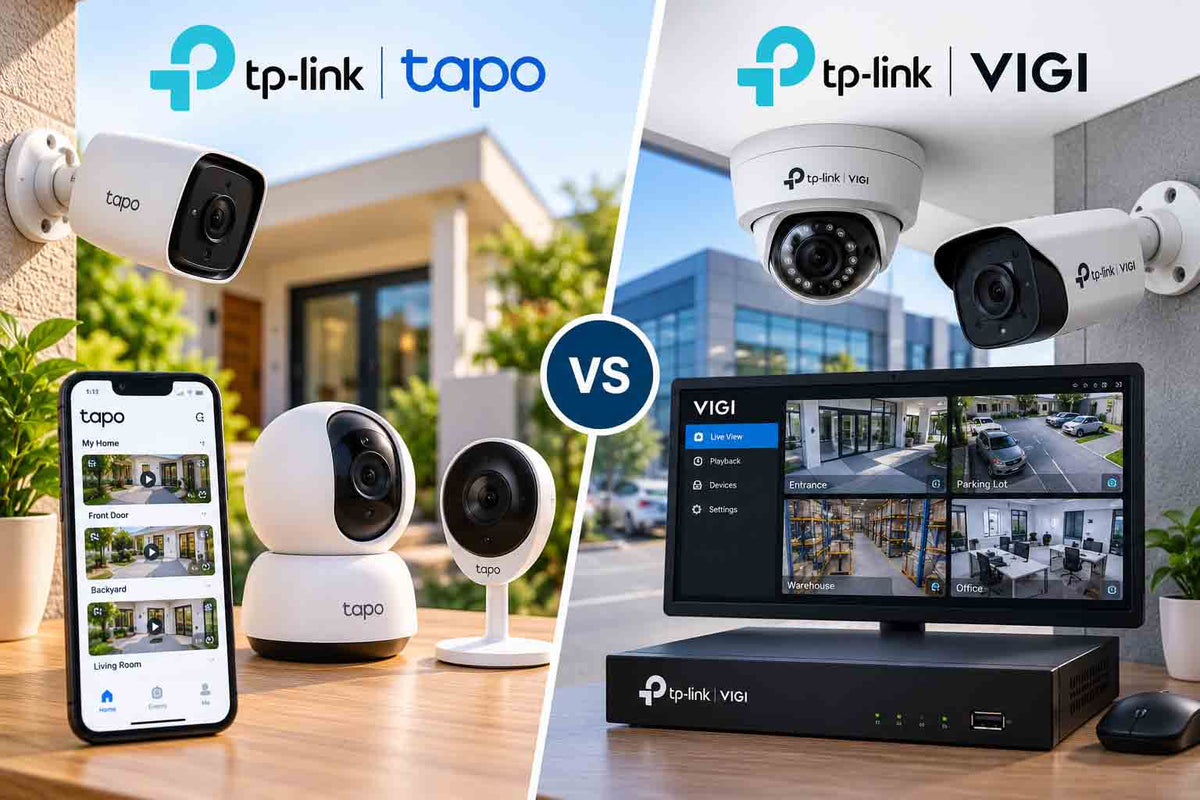
Around 6,600 Australians search for "tapo camera" every month. Only about 320 search for "tp link vigi". That gap tells a story: most people know TP-Link's affordable home cameras, but few realise the same company makes a full professional CCTV range.
Both ranges carry the TP-Link name, yet they are built for different jobs. This guide breaks down where Tapo shines, where VIGI takes over, and how to tell which one your home or business actually needs.
TL;DR:
Tapo is TP-Link's smart-home range: Wi-Fi and battery cameras, microSD storage, a simple app and optional cloud. VIGI is TP-Link's professional surveillance range: PoE cameras, dedicated NVRs, 24/7 recording, multi-user management and integration with Omada networking. Pick Tapo for one to three cameras in a home or rental. Pick VIGI for whole-property coverage, small businesses, or anywhere footage must be reliable.
Tapo vs VIGI at a glance
|
Feature |
TP-Link Tapo |
TP-Link VIGI |
|---|---|---|
|
Built for |
Homes, renters, smart-home users |
Businesses, installers, larger homes |
|
Connection |
Mostly Wi-Fi, some battery |
Mostly PoE (wired), some Wi-Fi |
|
Recording |
microSD, optional hub, optional cloud |
NVR with surveillance HDD, microSD on some |
|
24/7 recording |
Possible on SD, limited capacity |
Standard |
|
AI detection |
Person, vehicle, pet, baby cry (model dependent) |
Person, vehicle, line crossing, intrusion |
|
App |
Tapo app |
VIGI app + VIGI Security Manager (PC) |
|
Multi-user / multi-site |
Basic sharing |
Built for it |
|
Network management |
Consumer |
Integrates with Omada SDN |
|
Typical lifespan in use |
3 to 5 years |
7 to 10 years |
Where Tapo is the right call
Tapo cameras are genuinely good value. A pan-tilt indoor model like the C200 or C210 is perfect for checking the dog, the baby's room or the front hallway. Outdoor models such as the C500 series give you pan and tilt on a carport or side gate without running cable.
Tapo makes sense when:
-
You rent and cannot drill through walls or roof space
-
You need one or two cameras, not a full system
-
Your Wi-Fi reaches every camera location reliably
-
Short motion clips are enough, rather than continuous footage
Where VIGI takes over
VIGI is TP-Link's answer to Hikvision and Dahua in the business market. The cameras plug into a VIGI NVR or a PoE switch using one network cable for both power and data. That single cable is the big reliability win. No Wi-Fi dropouts, no batteries to charge on a ladder, no gaps in footage.
Installer tip: Wi-Fi cameras struggle in double-brick and Hebel homes common across Melbourne and Adelaide. We regularly replace Wi-Fi cameras on side walls where signal drops to one bar. A PoE VIGI camera on the same spot simply works.
VIGI is the better pick when:
-
You need four or more cameras
-
You want 24/7 recording that does not rely on Wi-Fi
-
Several people need access (owners, managers, staff)
-
You run a shop, office, warehouse or strata building
-
You want NDAA-friendly options for compliance-sensitive sites
Storage: the biggest real-world difference
Tapo cameras record to a microSD card, typically up to 256GB or 512GB depending on model. On continuous recording, a 2K camera fills that in days. VIGI NVRs take surveillance hard drives from 2TB upward, giving weeks of footage across many cameras.
Neither range forces a subscription. Tapo Care is optional cloud storage. VIGI records locally by design. Our no-subscription camera guide explains the cost difference over five years.
Can you mix Tapo and VIGI?
Not in one app. Tapo cameras live in the Tapo app; VIGI cameras live in the VIGI app and VIGI NVR. Plenty of our customers run both: a couple of Tapo indoor cameras for family and pets, plus a VIGI system covering the outside of the property. It works well as long as you treat them as two separate systems.
Cost comparison
|
Setup |
Approx. hardware cost |
Ongoing fees |
Best for |
|---|---|---|---|
|
2 Tapo cameras + SD cards |
$150 to $350 |
Optional cloud |
Renters, indoor monitoring |
|
4 Tapo outdoor cameras |
$400 to $800 |
Optional cloud |
Small homes with strong Wi-Fi |
|
VIGI 4-camera PoE + NVR |
$800 to $1,400 |
None |
Family homes, small shops |
|
VIGI 8-camera PoE + NVR |
$1,500 to $2,600 |
None |
Larger homes, offices, warehouses |
Is Tapo good enough for a business?
For a home office, maybe. For a retail shop or workshop, we would steer you to VIGI. Businesses usually need longer retention for incident reviews, footage that can be exported cleanly for police or insurers, and access controls so not every staff member can delete recordings. Those are exactly the areas where VIGI was designed to perform.
Read why installers rate TP-Link VIGI for a deeper look at the range.
Frequently asked questions
Is VIGI better than Tapo?
VIGI is better for reliability, scale and business use because it records 24/7 to an NVR over wired PoE. Tapo is better for quick, low-cost home setups using Wi-Fi.
Does Tapo need a subscription?
No. Tapo cameras record to microSD and work in the free Tapo app. Tapo Care is an optional cloud plan for extra features and off-site clips.
Can VIGI cameras work without an NVR?
Yes. Many VIGI cameras support microSD and can be viewed in the VIGI app. An NVR is recommended for multi-camera systems and continuous recording.
Are TP-Link cameras NDAA compliant?
Selected VIGI models are marketed as NDAA compliant. Check the specific model listing if compliance matters for your site.
Is the Tapo C500 good for outdoors?
Yes, it is weather resistant and offers pan and tilt. It still relies on Wi-Fi, so test signal strength where you plan to mount it.
Which should you choose?
Start with how much you need to protect. One or two cameras inside a rental: Tapo is hard to beat. The whole outside of a house or a business: VIGI gives you dependable, wired, around-the-clock recording.
Explore the TP-Link VIGI range or talk to our team about a VIGI kit sized for your property.


